
Convert PDF to TIFF with TIFF Image Printer
If you need to convert PDF to TIFF, the TIFF Image Printer can help you do that in just a few clicks!
As easy as printing, with the TIFF Image Printer you can quickly convert PDF to TIFF in seconds. It works with any Windows® application which will make it the PDF to TIFF converter you will turn to time and again.
Why Convert PDF to TIFF?
Convert PDF to TIFF images to protect your PDF documents from unwanted copying or changes. TIFF images are difficult to alter and can be viewed by virtually anyone. TIFF is a common format for faxing and is often used in document imaging, document archiving, and eDiscovery software.
How to Convert PDF to TIFF
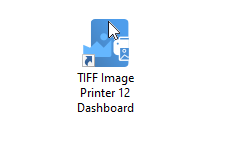
After installing the TIFF Image Printer onto your computer, you will see the TIFF Image Printer dashboard icon on your desktop. The dashboard is a hub for your license information, setting printer settings, creating and editing printer profiles, and accessing video tutorials and other help resources.
Open And Print Your PDF File
Open the PDF file you want to convert. This can be Adobe® Reader or any other PDF viewer software that can print PDF files.
When you have the file open, the next step is to print the file. This can be a print icon or through File-Print from the application menu.
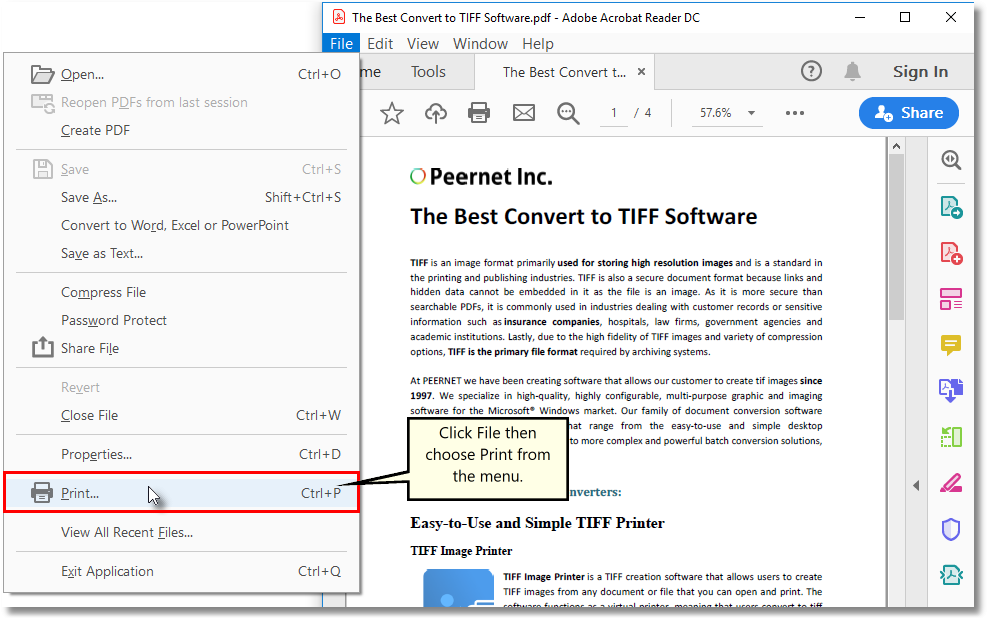
In the Print dialog, choose TIFF Image Printer 12 from the list of printers and then click the Print button. This sends the file to our printer to convert the PDF to TIFF.

Choose Where to Save Your TIFF Image
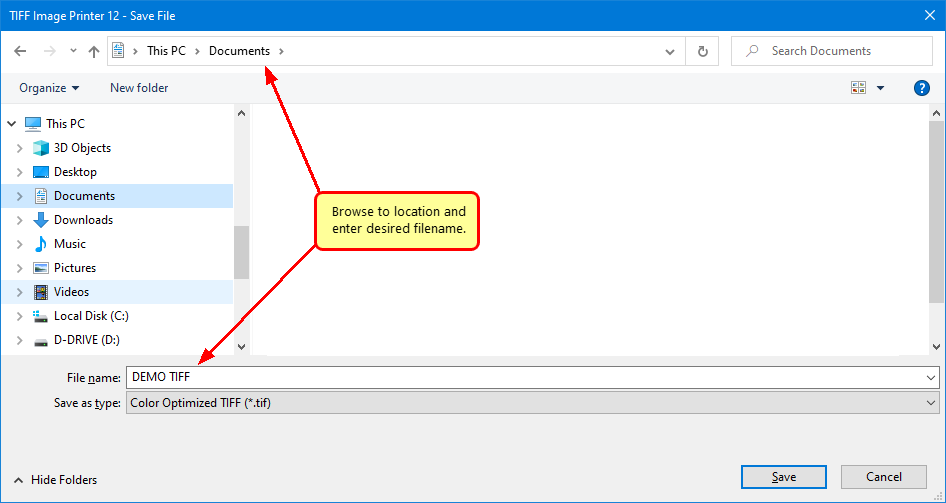
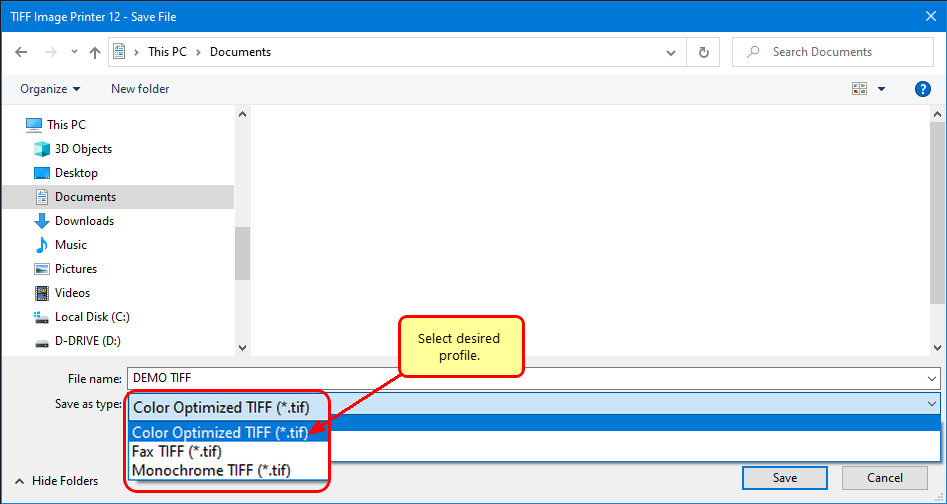
A Save File prompt appears so you can choose where to save your new TIFF image. The default location is your Documents folder.
The Filename field will show a name for your TIFF image using the original document name when possible. Enter a different name for your PDF file here if you want.
Select Your TIFF Image Format
Next, in the Save as type drop box, select the printer profile that you want applied to your output TIFF Image. For basic TIFF conversion, we recommend the Color Optimized TIFF profile.
A printer profile is a collection of settings controlling the image output created by the printer. TIFF Image Printer includes several profiles for creating common TIFF formats, such as color, black and white, and faxable. To create custom profiles, see the Profile Manager available from the TIFF Image Printer Dashboard.
Save Your TIFF Image
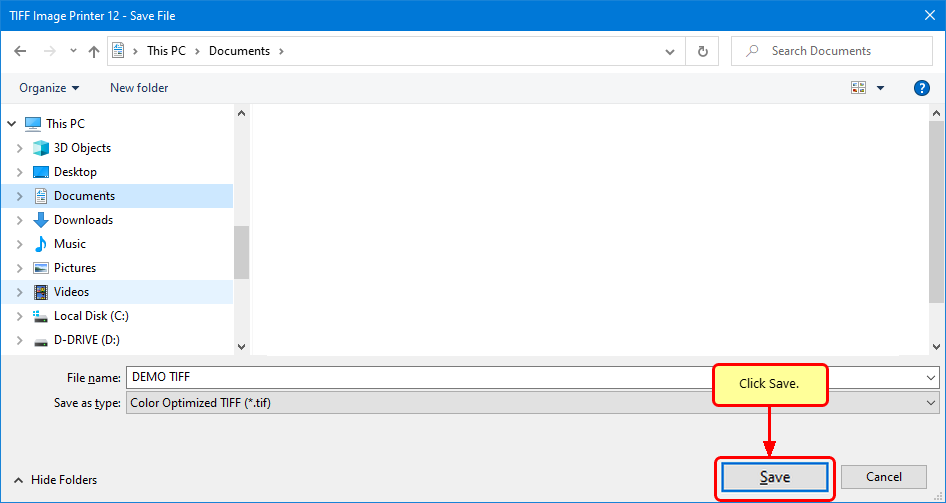
The last step is to click Save to create your TIFF image.
And there you go. You have now successfully converted your PDF file to a TIFF image, and all as easy as printing the file.


