
Easy drag and drop PDF handling to combine, edit & merge Adobe® PDF files and Windows® documents to a single PDF.
Add to existing PDF files and create new searchable PDF files from any Windows® application by printing to the included PDF Creator Plus printer.
Rearrange, add, copy and delete pages with the PDF Creator Plus builder application. Use the annotation features to edit and markup your file before saving.
Drag and Drop PDF Editing
Combine and Edit Existing PDF
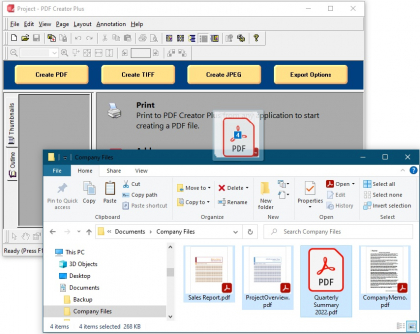
Drag and drop PDF files from onto the builder application to start combining and editing. PDF Creator Plus always works with copies of the pages, keeping the original PDF safe. Merge a group of PDF files quickly by dropping the selected group of files into PDF Creator Plus. Drop files individually for control over the page order.
1
2
1
Select PDF files in File Explorer
2
Drag files onto PDF Creator Plus to add pages
1
2
3
1
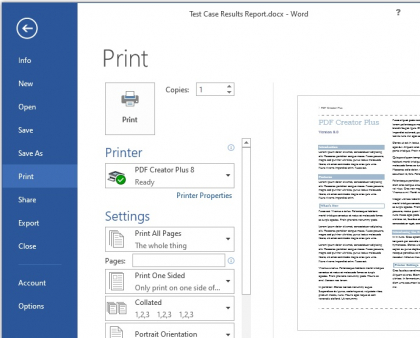
Go to File – Print
2
Select PDF Creator Plus
3
Click Print
Fast & Easy PDF Creation
PDF Creator Plus makes PDF creation as easy as printing.
PDF Creator Plus combines a virtual printer with a builder application that previews your printed document before the PDF is created. From this application you can create a PDF from a single document or leave it open and continue printing to build a PDF from multiple documents.
Preview and Edit
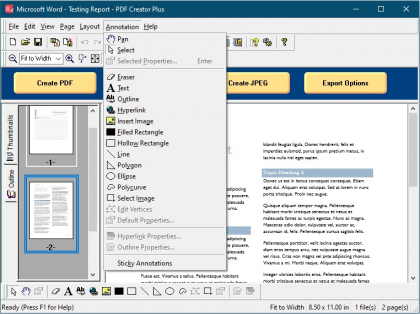
The preview window is more than just a preview – it also includes common editing features.
You can rearrange, add, copy, and delete pages before creating your PDF. The included annotation tools can be used to add notes, signatures, and graphics to highlight important areas in your document. You can even save your printed pages as a PDF Creator Plus project file so you can revise your PDF at any time.
More Than Just PDF
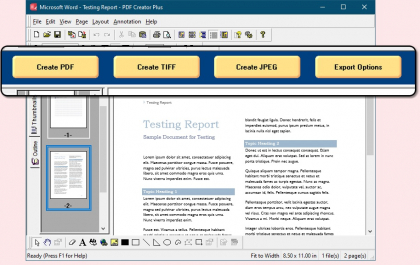
PDF Creator Plus does more – you can convert to TIFF, JPEG, PNG and other popular image formats.
As an added bonus, PDF Creator Plus is not limited to creating only PDF documents. In addition to PDF, you can also create TIFF, JPEG, PNG, Windows BMP images and other popular image formats.
Microsoft® Word Add-In
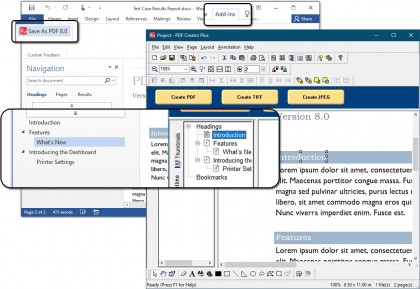
Maintain headings, bookmarks, outlines and hyperlinks when you print with the included Word Add-In.
Create PDF documents from Microsoft® Word with your headings, outlines and hyperlinks intact by using the Save As PDF 8 Word Add-In included with the product. In the preview window, the annotation tools allow you to add new or edit existing headings, bookmarks and hyperlinks.
1
2
3
1
Click on Add-Ins tab in the ribbon interface
2
Select the Save as PDF 8.0 Add-in tool
3
Document is loaded with table of contents and hyperlink information
1
2
3
4
5
1
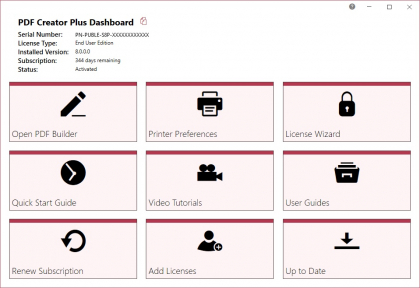
Open the PDF builder application
2
Set printer settings
3
Edit activation status
4
Access help resources
5
Check for updates
Everything In One Place
Access all tools from the Dashboard.
The PDF Creator Plus Dashboard brings all the tools for accessing the PDF Creator Plus builder application, setting printer settings, activating the product, viewing help resources, and more. Great place to quickly check your subscription expiry date or get notified about new updates.
Support Platforms
- Windows 11 / Windows Server 2022 and 2019
- Windows 10 / Windows Server 2016
The PEERNET team is always happy to help!
Give Us a Call
1-800-883-7980
Ask Us a Question
Complete our contact form
LATEST NEWS
 Optical Character Recognition (OCR) with PEERNETDecember 6, 2023 - 10:45 am
- Convert PDF to Searchable PDF with OCRDecember 6, 2023 - 10:30 am
- Create TIFF and Extract Text From Images Using OCRDecember 6, 2023 - 10:15 am
- Password Protect PDF With PDF Creator PlusSeptember 7, 2023 - 8:31 am


