Convert Web Pages to TIFF with TIFF Image Printer
A few simple steps is all you need to convert web pages to TIFF images with TIFF Image Printer!
Just by printing, you can quickly and easily convert web pages to TIFF images in seconds. Create separate TIFF images or combine multiple web pages to TIFF using the append feature.
Do more than just web pages to TIFF images – TIFF Image Printer works with any Windows® application making it the TIFF file converter you will turn to time and again.
Why Convert Web Pages to TIFF?
Convert web pages to TIFF images to archive and store your Web pages. TIFF images are very difficult to alter and can be viewed by virtually anyone. TIFF is a common format for faxing, and is often used in document imaging, document archiving and eDiscovery software.
How to Convert Web Pages to TIFF
1. Install TIFF Image Printer onto your computer. You will see the TIFF Image Printer icon on your desktop.

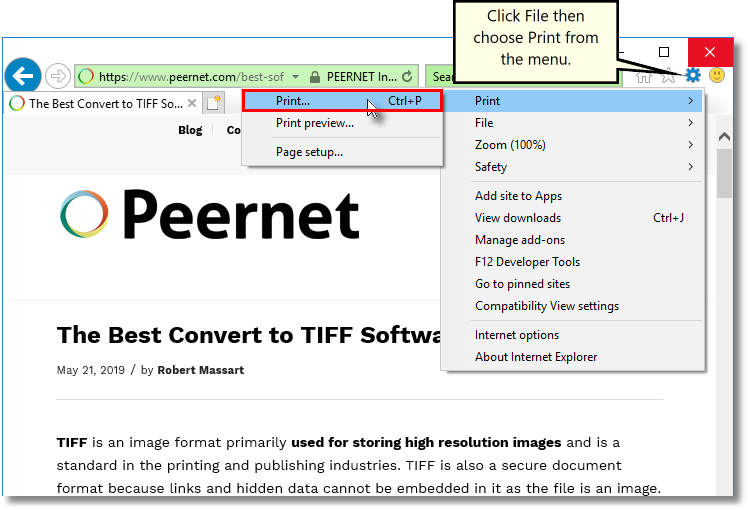
2. Open your web page in Internet Explorer or any other web browser. To open the Print dialog in Internet Explorer type Ctrl-P or click the Settings cog and then choose Print-Print… from the menu.
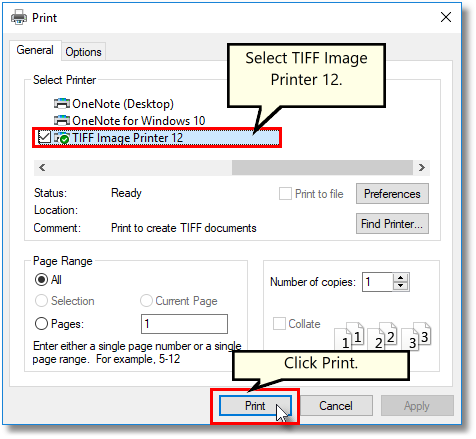
3. Choose TIFF Image Printer 12 from the list of printers and then click the Print button.
4. Enter the location and filename for the TIFF file.
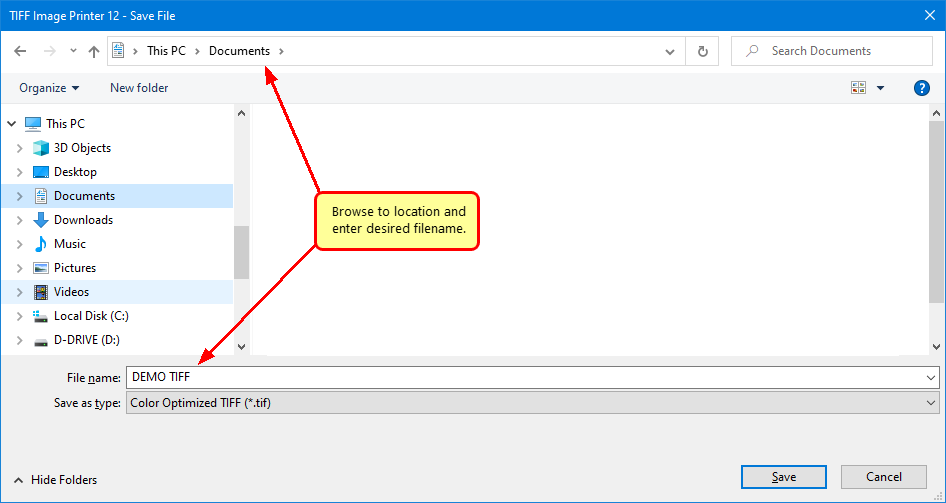
5. Select the profile, group of settings, that you want applied to your output TIFF Image. For basic TIFF conversion we recommend the Color Optimized TIFF profile.
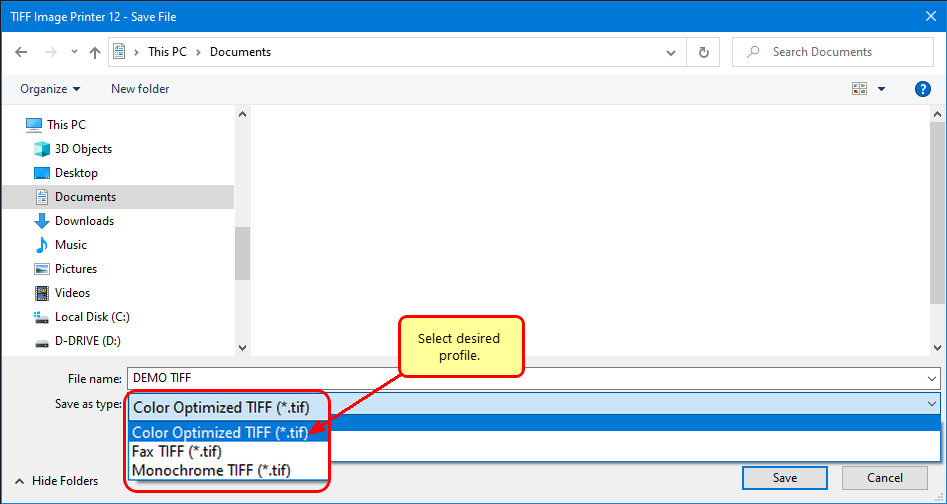
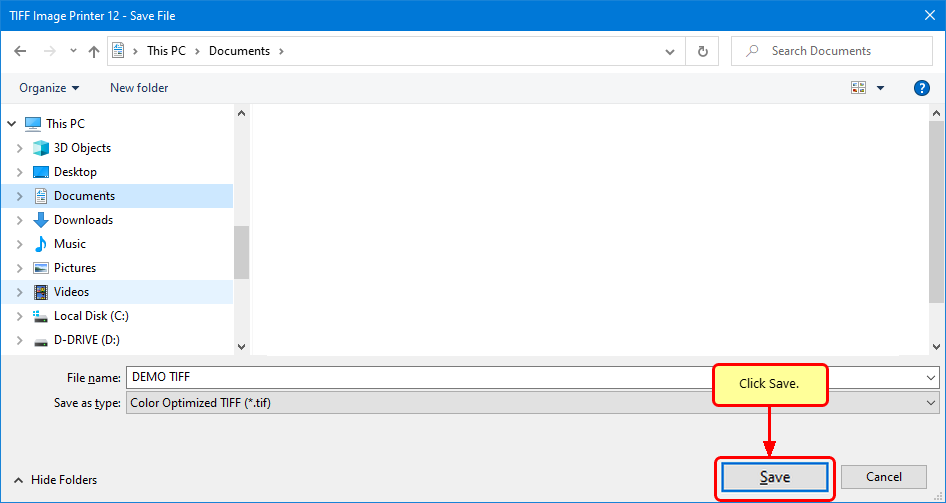
6. Click Save to create your TIFF image.