PEERNET

TIFF Image Printer 9.0

Convert to TIFF or TIFF Fax Formats from any Windows® document.

PEERNET's TIFF Image Printer is a cost effective, feature rich, virtual printer driver that lets you create TIFF or TIFF Fax formats from any Windows® document on your computer.

Download Free Trial
For Windows® 2000, XP, Vista, 2003, 2008, Windows 7 (32-bit and 64-bit)

To obtain your purchased Software Download, visit your online account.

Convert TEXT to TIFF with TIFF Image Printer

Convert TEXT to TIFF in just a few clicks! As easy as printing, with the TIFF Image Printer you can quickly convert TEXT to TIFF images in seconds. It works with any Windows® application making it the TEXT to TIFF converter you will turn to time and again.


Why Convert TEXT to TIFF?

Convert TEXT to TIFF images to retain the document's contents and formatting in a protected, portable format. TIFF images are very difficult to alter and can be viewed by virtually anyone. TIFF is a common format for faxing, and is often used in document imaging, document archiving and eDiscovery software.


How to Convert TEXT to TIFF


1)Install TIFF Image Printer 9.0 onto your computer. This will create a new virtual printer in your Printers folder.


TEXT to TIFF

TEXT to TIFF


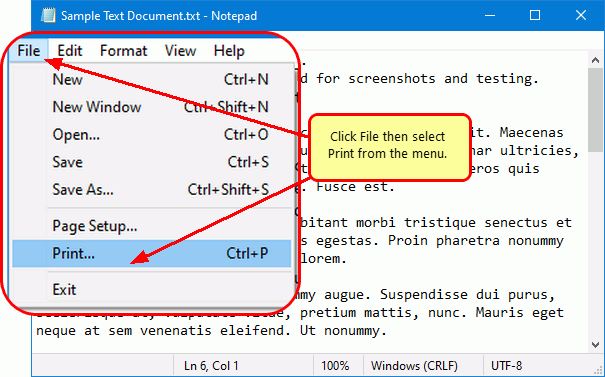
2)Open your TEXT file in Notepad or any other text file viewer that can print TEXT files, then select File->Print from the application menu.


txt to tiff

txt to tiff


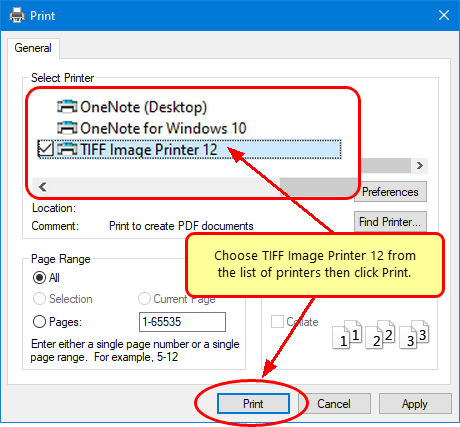
3)Choose TIFF Image Printer 9.0 from the printers list, then click the OK button.


Convert TEXT to TIFF

Convert TEXT to TIFF


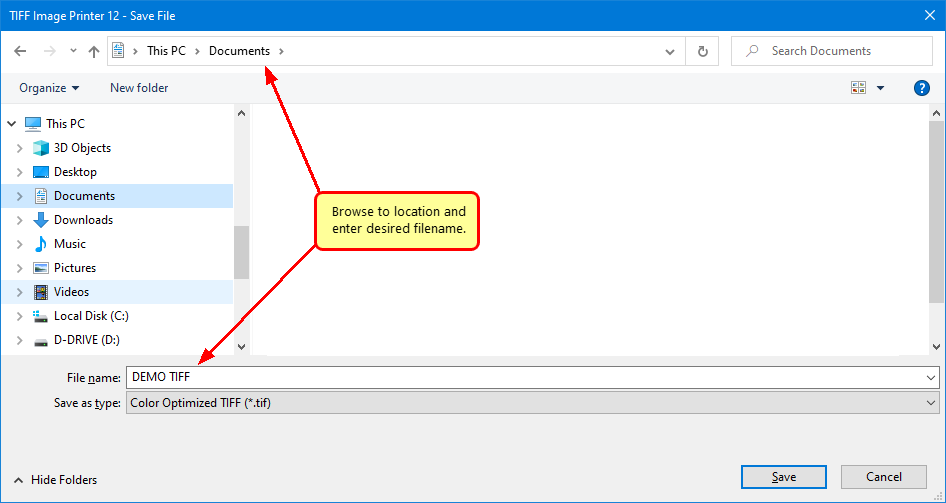
4)In the Save Image File dialog that appears:


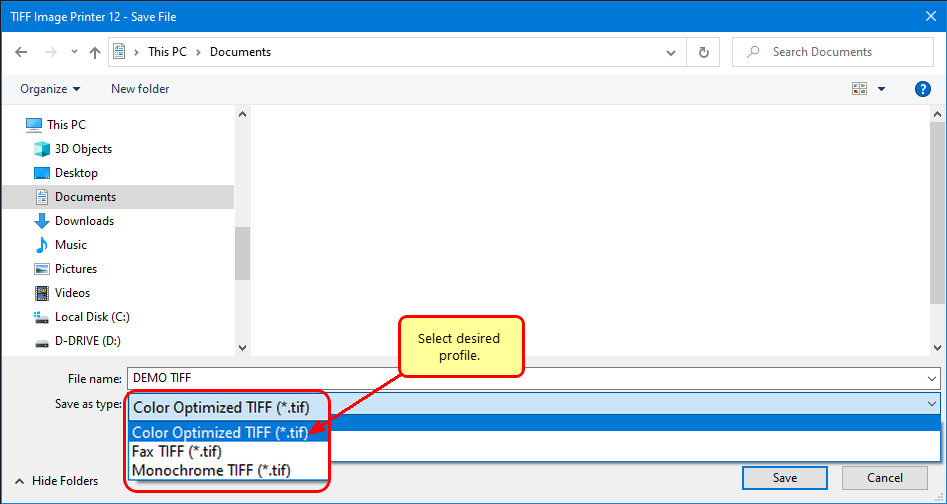
a)Select TIFF Multipaged (*.tif) as the output file type and choose where to save your new TIFF image.
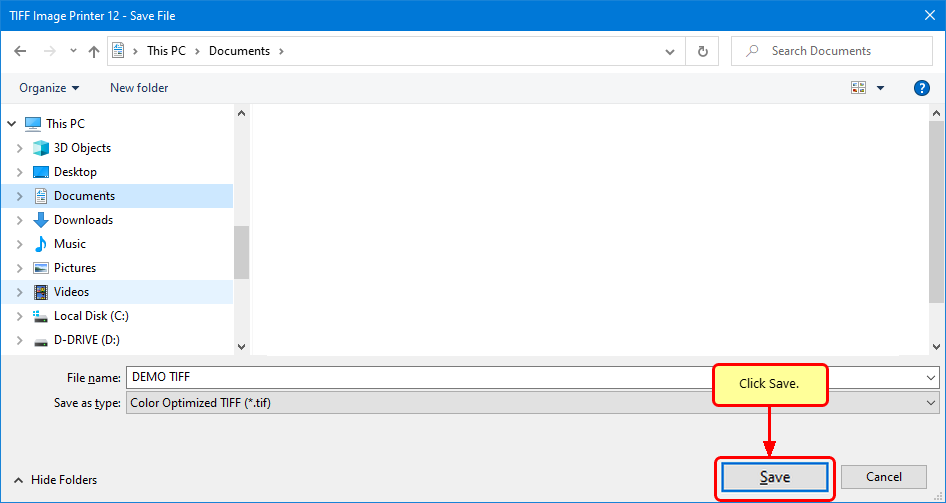
b)Click the Save button to convert your TEXT to TIFF.


Save TEXT to TIFF

Save TEXT to TIFF


5)Your TEXT file will be converted to a TIFF image and saved in the location specified.


6)Merge multiple TEXT files into a single multipaged TIFF image with the Append feature.


text to tiff merge

text to tiff merge


7)Convert your TEXT files into TIFF images that meet your exact requirements with the many options available. The settings used when converting TEXT to TIFF can be accessed through the Print dialog when you are printing your TEXT document.  See Setting Printing Preferences in the on-line user guide for more information.


Copyright © 1997-2010. All rights reserved. Legal notice.
PEERNET® is a registered trademark of PEERNET Inc.

Saturday, February 04, 2012