
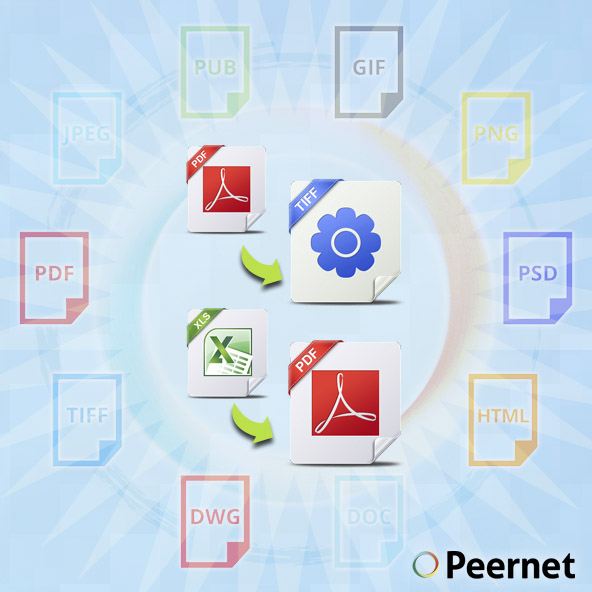
Virtual Printers: the modern way to reduce your printing costs
A typical mid-sized company can spend many thousands of dollars per year on printing costs. Some estimates put printing costs at 1 to 3% of your corporate revenue. Even businesses on the smaller end of the spectrum can feel the pinch; beyond the obvious costs associated with paper, there are the costs of new machines, maintaining the printers, and of course, the cost of toner and ink, which can add up very quickly. In the modern business climate, every dollar counts, and many companies are looking at ways to digitize their business operations in order to reduce those overhead costs.
One of the easiest ways to go about this is to reduce your company’s dependence on physical printers, and largely phase them out in favor of a virtual printer solution. Choosing the right option can make all the difference in creating a more productive, efficient and cost-effective workplace.
What is a Virtual Printer?
A virtual printer is a piece of software installed on your computer that essentially simulates the printing process. The difference is that instead of outputting the document on a physical piece of paper, it outputs a file that is formatted exactly the same as a printed document. In essence, a virtual printer might be more accurately labeled an image printer driver, as it functions as a set of protocols and instructions that allow your computer to fulfill the task of “printing” a document (except, that the end result is a formatted file rather than a printed page). The virtually-printed document will maintain its formatting and consistency regardless of operating system, device or screen size. Most commonly, that means the file is in PDF format, or TIFF format.
The Advantages of Virtual Image Printers
Reducing your company’s dependence on printers – and thereby, reducing your organization’s dependence on paper – can have a variety of great benefits. Here are some of the biggest advantages to making use of virtual printers.
- As mentioned above, the costs of physically printing documents can burden your company’s bottom line over time. With virtual printers, the cost Is primarily in acquiring the software up front, which oftentimes can be significantly less than a business-oriented physical printer. The actual costs of doing the virtual prints, which are essentially document conversions, are negligible.
- Digital files, as created by a virtual printer, can be more versatile than a printed page. With an outputted file, you can easily share information through email, on corporate intranets, and even on the web.
- Building off this last point, transitioning towards a digital filing model can also save huge amounts of time and resources on both storing and retrieving documentation. Digital documents make it much easier to search, and the only limitation on files is your amount of virtual storage space, not constrained by physical restrictions.
- For users who are not especially technically-savvy, one of the huge upsides of using virtual printers is that they are extremely easy to use. Basically, if someone can print a document on their computer, they can easily make use of a virtual printer to convert documents seamlessly.
- A virtual printer option integrates with your existing Windows software, rather than existing as its own program that you must open each time you need to do a conversion. This is a benefit if you’re regularly creating documents in that it can save you and your colleagues a significant amount of time.
- The formats that are output by a virtual printer are generally either PDF or TIFF, both of which are widely used throughout the business world and aren’t likely to go away. This means that making use of a virtual printer essentially future-proofs your operational workflow and mitigates any fears about having to change your processes down the line. Making use of these formats also makes certain that your outputted files can be viewed on any Windows or Mac machine, and even modern devices such as smartphones and tablets.
- If your company still makes regular use of faxes, a virtually printed document is a great route to go: choose from a number of standard fax profiles, or customize your options by selecting your resolution, paper size, scaling and alignment.
Virtual printer software
PDF Image Printer
To convert files to PDF, one of the best solutions is to make use of our PDF Image Printer software. PDF Image Printer is designed to be the easy way to seamlessly convert documents to Portable Document Format. This is suitable for individual users or corporate employees with a need for on-demand PDF file conversion.
As mentioned in the general discussion on virtual printers above, making use of PDF Image Printer is essentially as easy as printing a document. This means that there’s a very minimal learning curve involved, saving your organization valuable time and resources that can be better allocated to support your core business initiatives.
While using PDF Image Printer is a snap, it also contains some advanced features: from compression options, to processing preferences; text extraction, endorsements and more. So whether you need something to just do the job quickly, or need to closely control some options PDF Image Printer can be a great fit for your company.
TIFF Image Printer
Some organizations and industries are more likely to use TIFF than PDF, on a regular basis. TIFF is often utilized as the format of choice for places that maintain a lot of records: for example, financial records, legal documents, or patient information in the medical industry. While companies with a continuous, ongoing need for file conversion might be better suited for an automated batch document conversion solution like our Document Conversion Service, for those that require on-demand conversion to TIFF, our TIFF Image Printer is a fantastic solution.
TIFF Image Printer converts any printable Windows-format file, so anything that you can open and print out to a regular old printer, you can print to the image printer (the same goes, by the way for PDF Image Printer above, and Raster Image Printer, below.) Like the other virtual printers in the PEERNET line of products, TIFF Image Printer also allows for a great deal of control in your output settings, for users who need that functionality.
Raster Image Printer
For the best of both worlds, consider our Raster Image Printer solution which combines the functionality of PDF Image Printer and TIFF Image Printer. We call it the “Cadillac” of the PEERNET Image Printer family. In addition to the ability to easily print to PDF or TIFF, you can also convert to formats such as JPEG, GIF, PNG, PSD, PCX and DCX.
The beauty of Raster Image Printer is that it combines the functionality of a handful of different software solutions into one convenient package.
Which Virtual Printer is Right for You?
The virtual printer you ultimately end up choosing and installing on your company’s systems will depend on your specific needs. If you already know that you have a regular need to quickly convert PDF files, then PDF Image Printer is a no-brainer. The same goes for TIFF files and TIFF Image Printer, respectively. And if you anticipate a need to convert a wider variety of files regularly, then Raster Image Printer is best for you.
Need More Features?
Now, if you require functionality above-and-beyond what a virtual printer/image printer can deliver, be sure to check out our products page for more information on the range of software provided by PEERNET that can meet your file conversion needs. Here’s a quick overview of how our products can help address your file conversion needs:
PDF Creator Plus offers similar functionality to Adobe Acrobat, with a more cost-effective price tag. It’s a great fit for companies or users who need a little bit more customization in creating their PDF documents than what a virtual image printer can offer. PDF Creator Plus stands as a separate program where you can combine, edit and merge an array of Windows document (any type that is printable), to create a new, outputted PDF. In contrast to PDF Image Printer, it creates vector files, which means that the text within the outputted file is selectable. It also gives you the tools that you expect out of an Acrobat-type program, like annotation, editing and watermark functionality.
Finally, if you require an ongoing document conversion solution, be sure to look into Document Conversion Service. It’s an industry-leading installation for batch, automated file conversion. Generally, Document Conversion Service is best suited for either enterprise-level organizations or smaller organizations with a need for an automated document conversion process, as it is capable of converting documents in the background, 24/7. It offers a robust set of features that allows your company’s IT department to tailor it to your specific needs.
If you need a bit more guidance, please watch the short video below.
File conversion software as a business investment is one of the best decisions you can make. So as always, just contact us if you need more help choosing a solution for your company. We’ll be sure to point you in the right direction.


