
PEERNET Reports 3.0 Advanced Features
Visual Bar Code, Report and Label Designer
PEERNET Reports Designer provides a complete WYSIWYG environment that allows full access to all the objects used to construct a barcode, reporting or labeling solution. It can build virtually any style of report or label. It comes with an extensive collection of components Text, Rich-Text, Logo, Line, Shape, and Barcode that are fully customizable.
Database and Visual Query Builder
PEERNET Reports Designer provides a built-in heterogeneous J-SQL engine and a Visual SQL Query (QBE) builder that allows you to visually construct the SQL used in a report or label (no need to know SQL). This powerful J-SQL engine allows you to access multiple sources of data (JDBC sources, ODBC sources, Java Object sources, etc) all at the same time. This means you can join data from many different sources (an Excel spread sheet to an Oracle database table for instance) with no special database programming.
Why do we say J-SQL and not simply SQL. The reason being that the SQL engine is Java aware. This allows any Java Object to be accessed as a Java Object Table. The J-SQL engine is what allows this to happen seamlessly. It provides full access to the Java Objects. You can access any field or method of these Java Objects just like you do in your own Java code.
Advanced Paper Stock Support
PEERNET Reports provides full support for user defined Paper Stocks along with the hundreds of Avery® paper stocks you can import from our Avery paper stock database.
Why? In order to provide a true WYSIWYG environment for constructing reports and labels that meet industry design and layout standards. This is especially important in the bar code and labeling industries.
This feature enables reports and labels to be sent to a bar code printer or exported to formats like Adobe searchable PDF, or raster image files like JPEG, PNG or Windows BMP in a truly WYSIWYG manner.
Advanced Java Scripting and Expressions
PEERNET Reports script and expression language is the Java language. In other words, PEERNET Reports does not have its own proprietary script and expression language but instead it uses Java everywhere. This means that if you have written your own Java classes and expressions, you can directly access them from within PEERNET Reports without having to recode them into a proprietary language. You can even copy and paste them right into PEERNET Reports.
Powerful Object Model
PEERNET Reports, unlike other reporting solutions provides access to any part of the reporting solution through the PEERNET Reports Object Model. This model describes the Java API used to alter the reporting solution called from a request, report or label event method or from your own Java code.
Reuse
PEERNET Reports takes reuse to the extreme. Not only can you parameterize a report or label to create your own report and label templates but you can also create Requests.
Requests are executable units of work that can do a variety of operations at once. You can think of Requests as macros. Their primary purpose is to reuse a report or label in order to export and/or print the report or label to one or more formats (Adobe PDF, Postscript, EPS, Image, a bar code printer from Zebra, Intermec, Datamax, Eltron or Sato) and/ or one or more printers.
Embeddable
PEERNET Reports makes embedding easy. The PEERNET Reports Object Model you use inside the PEERNET Reports Designer is the same one you use when embedding the reporting solution. There is only (1) one additional API that needs to be learnt in order to embed a reporting solution into your own Java solution.
Web Application Servers and Platforms
This high performance and scaleable reporting engine has been deployed and used on the following J2EE Web Application Servers:
- Tomcat
- JBoss
- BEA WebLogic
- IBM WebSphere
- Macromedia JRun
- Macromedia Cold Fusion
- Sun Java System Web Server
- Sun ONE Web Server
The reporting engine has also been used on the following platforms:
- Microsoft Windows
- Linux (Red Hat and SuSe)
- Solaris (SPARC and Intel)
- IBM AS400
- IBM iSeries
- HP-UX 11i
- Mac OS X
You can deploy this reporting engine to any Java 2 version 1.4 or higher platform.
Using Java 2 version 1.4 or higher in headless mode eliminates the requirement for either the IBM Native AWT Toolkit or XVFB on the target system.
For more information visit the PEERNET Reports online user guide.
PEERNET Reports 3.0 Supported Barcodes
A bar code is a machine-readable symbol used to encode information in order to automate a business process. Examples of business processes are retail sales, shipping and tracking, inventory management, warehouse management, asset tracking, and automated data entry.
The bar coding standards are published through organizations such as AIM International, Uniform Code Council, and EAN International. To ensure that PEERNET products are compliant with the standards developed by these organizations – both now and in the future – PEERNET is an active member of these organizations.
PEERNET Reports supports the major bar codes in use today, plus some historical bar codes. The list of supported bar codes is as follows:
4-State
Industries: Postal
Uses: 4-State Bar Codes are made up of four types of bars, each of which has a distinct name, value, and symbol. The Australian Post 4-State Customer Code and Royal Mail 4-State Customer Code are two derivatives of this type of Bar Code.

Anker
Industries: Retail, library.
Uses: Developed by the Plessey Company of England for the ADS Company, ANKER code is a modified version of Plessey code and was used in European Point of Sale (POS) systems before the introduction of EAN.
Character set: 0 – 9, A – F

Australian Post 4-State Customer Code
Industries: Postal
Uses: An implementation of the 4-State Bar Code, Australian Post 4-State Customer Code uses different encoding tables than the RM4SCC Bar Code to encode 64 different Bar Codes in the “C Encoding Table” and 10 in the “N Encoding Table”. It also uses Reed Solomon error checking instead of a single check character.
Character set: For information about using this symbology, refer to the documentation provided by the Australia Post.

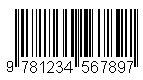
Bookland
Industries: Publishing.
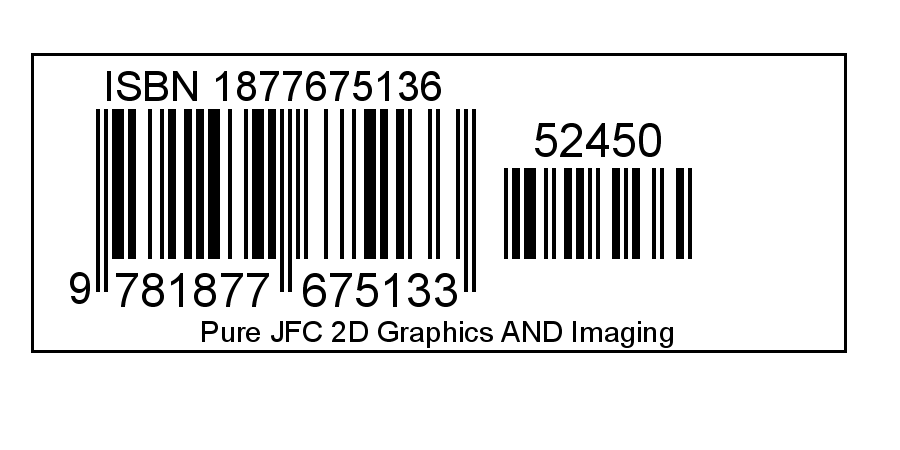
Uses: Used internationally to identify published materials such as books, audio and video cassettes, and software. Also called ISBN, Bookland is a subset of the EAN symbology.
Character set: 0 – 9
Encoding information: Bookland codes must begin with 978, followed by the International Standard Book Number (ISBN) of the book being identified (not including the ISBN check digit). A two-digit or five-digit supplemental code can be added to indicate currency and/or pricing.
Canada Post 4-State Code
Industries: Postal
Uses: An implementation of the 4-State Bar Code used by Canada Post.
Character set: For information about using this symbology, refer to the documentation provided by Canada Post.

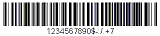
Codabar
Industries: Library, blood services, photographic, and shipping.
Uses: Codabar has been used for blood services since 1977. While this implementation will be replaced in a few years with ISBT 128 (which uses Code 128), ABC Codabar continues to be used. Codabar is also known as Code 2 of 7, or as NW7 in Japan.
Character set: 0 – 9, $, -, :, /, ., +
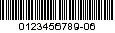
Code 11
Industries: Telecom.
Uses: Labelling telecommunications equipment. Code 11 is also known as USD-8.
Character set: 0 – 9
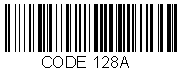
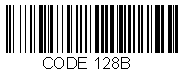
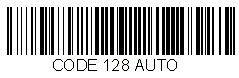
Code 128
Industries: Many, including video rental, shipping, and manufacturing.
Uses: As a high-density alphanumeric symbol, Code 128 has been seeing increased use in many industries where more information is required to be encoded in a limited amount of space.
Character set: Three – Codeset A, Codeset B, and Codeset C. Through all three, the ASCII 128 code set will be encoded in addition to special characters.
Encoding information: Can be encoded in any of the A, B, or C code sets, or in auto mode. Code 128 Auto chooses the best code set and switches between all three to create the highest density possible.
Code 39
Industries: Many, including government and automotive.
Uses: The standard for many government Bar Code specifications, Code 39 is also used in many manufacturing processes, and in the automotive industry for marking vehicle identification numbers. Also known as Code 3 of 9.
Character set: 0 – 9, A – Z, -, ., %, /, $, space, +, and *

Code 93
Industries: Many, including government and automotive.
Uses: Released in 1982, Code 93 is designed to be a compact version of Code 39, and allows a higher density of information in the same space as a Code 39. Because most scanners that can read Code 39 will read Code 93, Code 93 can be used in place of Code 39 where space is limited.
Character set: 47 characters; 0 – 9, A – Z, -, ., space, $, /, +, %, ($), (%), (/), (+)

Danish PTT 39 Code
Industries: Postal
Uses: Danish PTT 39 Code is used by the Danish Post Office. It is a modified 3 of 9 bar code.
Character set: 0 – 9
Data Matrix
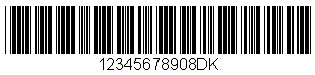
Uses: Data Matrix is a high density 2 dimensional matrix style Bar Code that can encode up to 3116 characters from the entire 256 byte ASCII
Character set: The symbol is built on a square grid arranged with a finder pattern around the perimeter of the Bar Code symbol. There are two types of Data Matrix symbols each using a different error checking and correction scheme (ECC). The different types of Data Matrix symbols are identified using the terminology “ECC” followed by a number representing the type of error correction that is used by the encoding software.


Dutch KIX 4-State Code
Industries: Postal
Uses: Used by the Dutch Post Office, it encodes a 6-character postcode (4 digits followed by 2 letters), a 1-5 digit house/postbox/freepost number (optional), an ‘X’ or ‘x’ separator character (optional), and a 1-6 character house number extension (optional).
Character set: 0 – 9, A – Z

EAN
Industries: European retail.
Uses: Marking retail goods. The European Article Number (EAN) is a superset of the UPC, and allows extra digits for country identification.
Character set: 0 – 9
Encoding information: All EAN symbols start with the two-digit or three-digit EAN country code, followed by additional digits representing this product. Optional retail information in the form of a two-digit or five-digit supplemental can be included.
Variants: EAN13 encodes 13 characters while EAN8 encodes 8 for smaller packaging.

Extended Code 39
Industries: Many, including government and automotive.
Uses: Extended Code 39 is the standard for many government Bar Code specifications. It is also known as Extended Code 3 of 9. Can be used to encode the full 128-character ASCII set by pairing Code 39 characters.
Character set: All ASCII characters

Facing Identification Mark
Industries: Postal
Uses: Facing Identification Mark (FIM) patterns are used in automated mail processing by the U.S. Postal Service. FIM patterns are used for automatic facing and canceling of mail that does not contain a stamp or meter imprint (business reply mail, penalty mail, etc.). They also provide a means of separating business and courtesy reply mail from other letters. FIM patterns are placed in the upper right corner along the top edge and two inches in from the right edge of letters.
Character set: For information about using this symbology, refer to the documentation provided by the U.S. Postal Service.
FIM A 
FIM B 
FIM C 
FIM D 
Full Code 93
Industries: Many, including government and automotive.
Uses: Allows for encoding of all 128 ASCII characters in Code 39 format. Released in 1982, Code 93 is designed to be a more compact version of Code 39, allowing for a higher density of information in the same space as a Code 39 Bar Code. Because most scanners that can read Code 39 will read Code 93, it can be used in place of Code 39 where space is limited.
Character set: All ASCII characters

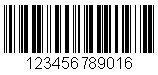
German Postal Identcode 11
Industries: Postal
Uses: German Postal Identcode 11 is used by the German Post Office for parcels. It is a modified 2 of 5 bar code which encodes the originating post office, a customer identifier, a parcel number, and a check digit.
Character set: 0 – 9
German Postal Leitcode 13
Industries: Postal
Uses: German Postal Leitcode 13 is used by the German Post Office for parcels. It is a modified 2 of 5 bar code which encodes the receiving post office, the destination address, and a check digit.
Character set: 0 – 9
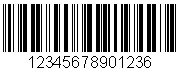
Industrial 2 of 5
Industries: Industrial.
Uses: Not in common use.
Character set: 0 – 9

Interleaved 2 of 5
Industries: Shipping, warehouse.
Uses: While similar to Industrial, Matrix, and Standard 2 of 5 codes, Interleaved 2 of 5 allows for higher compaction, resulting in a more compact symbol.
Character set: 0 – 9

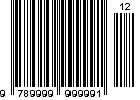
ISBN
Industries: Publishing.
Uses: International Standard Book Number (ISBN) code is used internationally to identify published materials such as books, audio and video cassettes, and software. Also called Bookland, ISBN is a subset of the EAN symbology.
Character set: 0 – 9
Encoding information: ISBN codes must begin with 978, followed by the ISBN number of the book being identified (not including the ISBN check digit). A two-digit or five-digit supplemental code can be added to indicate currency and/or pricing.
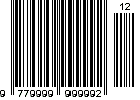
ISSN
Industries: Publishing and periodicals.
Uses: International Standard Serial Number (ISSN) code is used internationally to identify published materials such as periodicals. ISSN is a subset of the EAN symbology.
Character set: 0 – 9
Encoding information: ISSN codes must begin with 977, followed by the ISSN number of the periodical being identified (not including the ISSN check digit). A two-digit or five-digit supplemental code can be added to indicate currency and/or pricing.
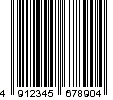
JAN
Industries: Japanese retail.
Uses: Japanese Article Number (JAN) code is used for marking retail goods in Japan, and is a subset of the EAN symbology.
Character set: 0 – 9
Encoding information: JAN codes must begin with the Japanese identifier of 49, followed by either 5 or 10 additional digits representing this product. Optional retail information in the form of a two-digit or five-digit supplemental can be included.
Variants: JAN13 encodes 13 characters, while JAN8 encodes 8 for smaller packaging.
Matrix 2 OF 5
Uses: Though it is a member of the 2 of 5 family, including Industrial, Interleaved and Standard 2 of 5, Matrix 2 of 5 is actually a variant of Code 11, and was developed by the Nieaf Company in The Netherlands, where it is primarily used.
Character set: 0 – 9

Maxicode
Industries: Shipping.
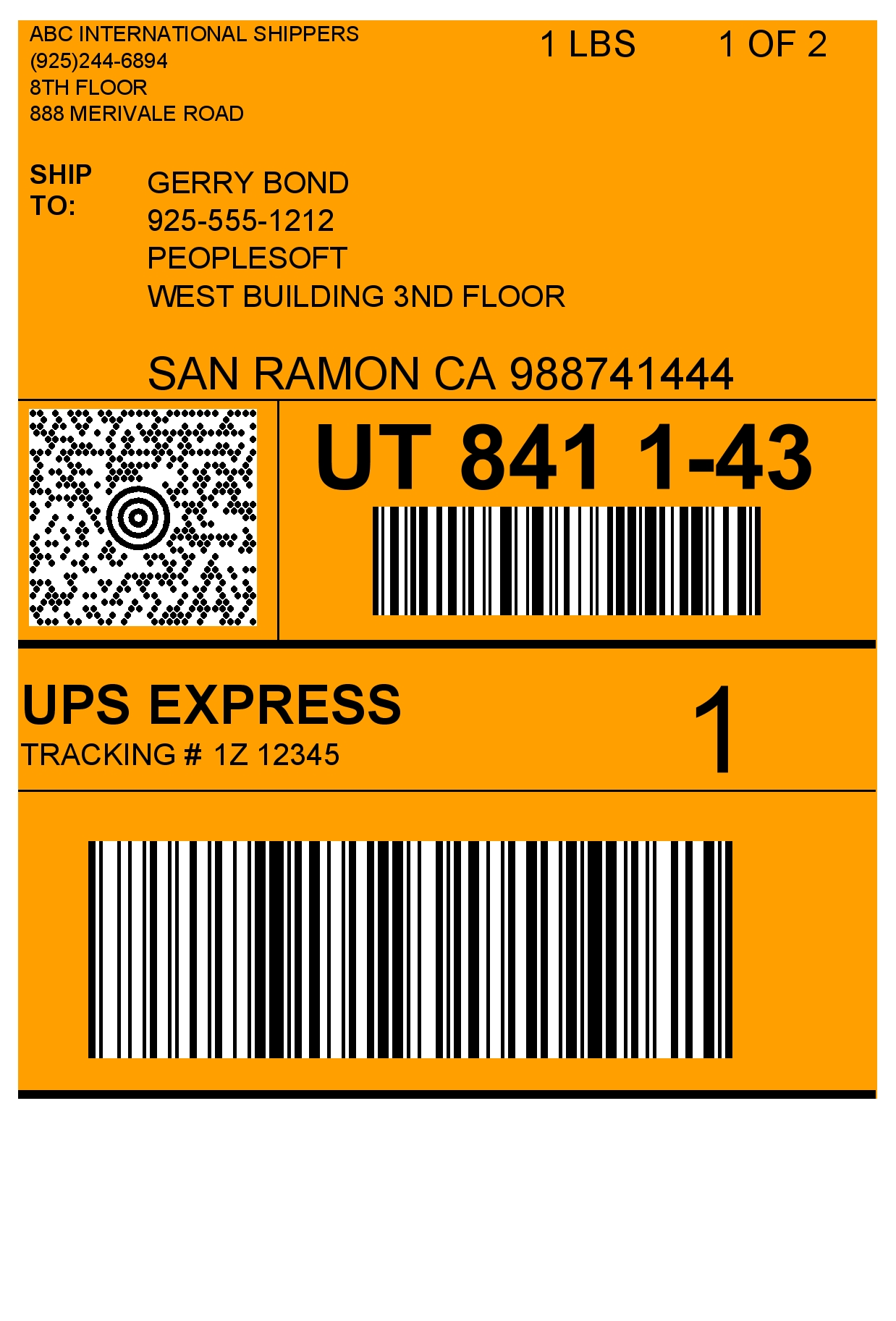
Uses: A Maxicode Bar Code is a 1 x 1 inch, two-dimensional Bar Code that is the cornerstone for producing any United Parcel Service (UPS) shipping labels, plus many other bar coding projects. PEERNET has completed the mandatory UPS certification process and has been approved to produce UPS-compliant Maxicode Bar Codes. A Maxicode Bar Code can have 90 – 100 characters. With Maxicode Bar Codes you get enhanced Reed-Solomon error correction. Even if the Bar Code has been partially destroyed, by using error correction a Maxicode scanner can still read the symbol correctly every time.

MSI
Industries: Retail.
Uses: MSI, also known as Modified Plessey, was created by the MSI Corporation, and uses the basic encoding principle Plessey. MSI has been primarily used in the United States in marking grocery store shelving, and in the subsequent scanning for reordering.
Character set: 0 – 9

OPC
Industries: Optical.
Uses: Based on Interleaved 2 of 5, Optical Product Code (OPC) is used for marking retail optical products.
Encoding information: The first five digits are assigned by the Optical Product Code Council (OPPC) Incorporated. The next four digits represent the manufacturer’s product identification number.
Character set: 0 – 9

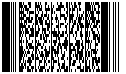
PDF417
Industries: Government, retail, transportation, health care, manufacturing.
Uses: The PDF417 Bar Code is a high-capacity, two-dimensional Bar Code. A PDF417 Bar Code can store up to 1800 characters, or up to 2700 digits. As a complete implementation of Symbol Technology’s PDF417 Bar Code specification, PEERNET’s PDF417 Bar Code provides support for not only standard PDF417 but also for truncated PDF417 and global language identifiers (GLIs). In addition, the PDF417 Bar Code uses enhanced Reed-Solomon error correction. Even if the Bar Code has been partially destroyed, by using error correction a PDF417 scanner can still read the Bar Code correctly every time.
Planet
Industries: Postal
Uses: PLANET (used by the U.S. Postal Service) is a 3-of-5 variation of the POSTNET symbology. It is used for respondee identification, as well as other mail tracking and sorting uses.
Character set: For information about using this symbology, refer to the documentation provided by the U.S. Postal Service.

Plessey
Industries: Library.
Uses: Developed by the Plessey Corporation in 1971, Plessey code was the first Bar Code used in marking for library systems. Plessey is the base for the Anker and MSI codes.
Character set: 0 – 9, A – F

Postnet
Industries: Postal
Uses: POSTNET (POSTal Numeric Encoding Technique) is a 5, 9 or 11 digit numeric symbology used by the U.S. Postal Service to encode ZIP Code information for automatic mail sorting. It can represent a five digit ZIP Code (32 bars), a nine digit ZIP + 4 code (52 bars), or an eleven digit Delivery Point code (62 bars). Data is encoded in the height of the bars instead of in the widths of the bars and spaces. POSTNET is a fixed dimension symbology (height, width, and spacing of all bars must fit within exact tolerances).
Character set: For information about using this symbology, refer to the documentation provided by the U.S. Postal Service.

Royal Mail 4-State Customer Code
Industries: Postal
Uses: Royal Mail 4-State Customer Code (RM4SCC) is used for automated mail sorting processes. It is based on 36 Bar Codes representing alpha-numeric characters (0-9, A-Z), as well as start and stop bar characters.
Character set: 0 – 9, A – Z

SCC-14
Industries: Shipping.
Uses: Used in marking shipping containers.
Uses either Interleaved 2 of 5 or UCC/EAN encoding to produce Bar Code symbols.
Character set: 0 – 9
Encoding information: Packaging indicator; also called assortment indicator (any single digit except 8). Case/contents indicator (one digit; 0 when the Uniform Product Code (UPC) on case differs from UPC on contents; 1 when UPC on both case and contents is the same). Manufacturer number (six digits). Product number (five digits). Check character (one digit).

SSCC-18
Industries: Shipping.
Uses: Used to mark serialized shipping containers.
Character set: 0 – 9
Encoding information: 18-digit serialized identification number, assigned from a global pool of numbers that is maintained by EAN International and the UCC.

Singapore 4-State Code
Industries: Postal
Uses: Singapore 4-State Code is used for automated mail sorting processes. It is based on 36 Bar Codes representing alpha-numeric characters (0-9, A-Z), as well as start and stop bar characters.
Character set: 0 – 9, A – Z

Standard 2 OF 5
Industries: Shipping, warehouse.
Uses: This variant of Industrial 2 of 5 is used for warehouse sorting, photo finishing, and airline ticketing.
Character set: 0 – 9

Swiss Post
Industries: Postal
Uses: A special version of Code 128C which includes a 2-digit post code, a 2-digit billing district code, a 6-digit customer account number, and an 8-digit item number.
Character set: 0 – 9
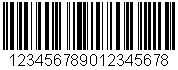
UCC/EAN
Industries: Shipping.
Uses: A variant of Code 128, UCC/EAN is reserved to EAN International and the UCC. UCC/EAN uses special Code 128 characters to denote shipping information within the code.
Character set: All ASCII characters
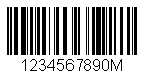
UPC
Industries: Retail.
Uses: Uniform Product Code is used in marking retail packaging in the United States and Canada.
Character set: 0 – 9
Encoding information: Manufacturer ID and unique product number. Can optionally include a two-digit or five-digit supplemental code to indicate information such as price or weight.
Variants: UPCA encodes Bar Codes for standard items while UPCE is used for packages with limited space.
UPCA 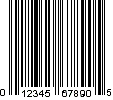
UPCE 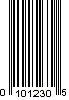
USPS Sack Label
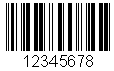
Industries: Postal
Uses: A modified Interleaved 2 of 5 bar code which includes a 5-digit Zip Code (the sack destination) and a 3-digit content identifier number(CIN).
Character set: 0 – 9
USPS Tray Label
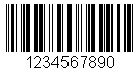
Industries: Postal
Uses: A modified Interleaved 2 of 5 bar code which includes a 5-digit Zip Code (the tray destination), a 3-digit content identifier number (CIN), and a 2-digit USPS processing code.
Character set: 0 – 9
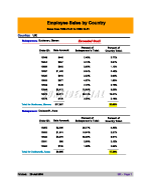
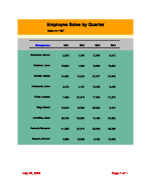
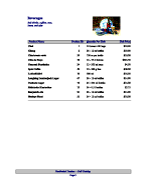
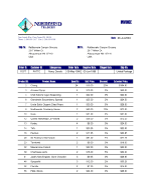
PEERNET Reports 3.0 Report Gallery
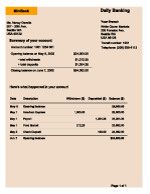
| Sales Report 1 (PDF) | Sales Report 2 (PDF) | Cross-Tab Report (PDF) |
|---|---|---|
 |  |  |
| Catalog Report (PDF) | Invoice Report (PDF) | Banking Statement (PDF) |
 |  |  |
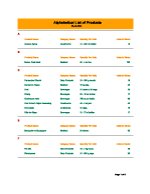
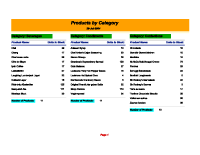
| Inventory Report 1 (PDF) | Inventory Report 2 (PDF) | |
 |  |
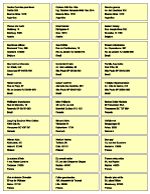
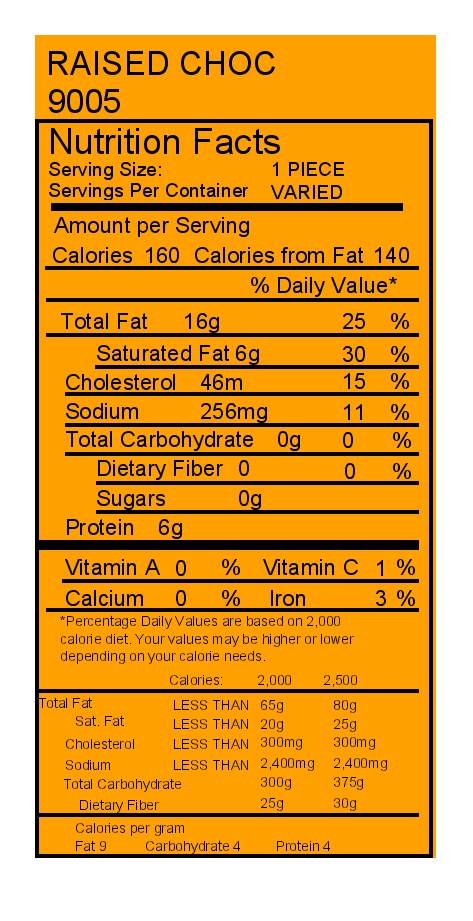
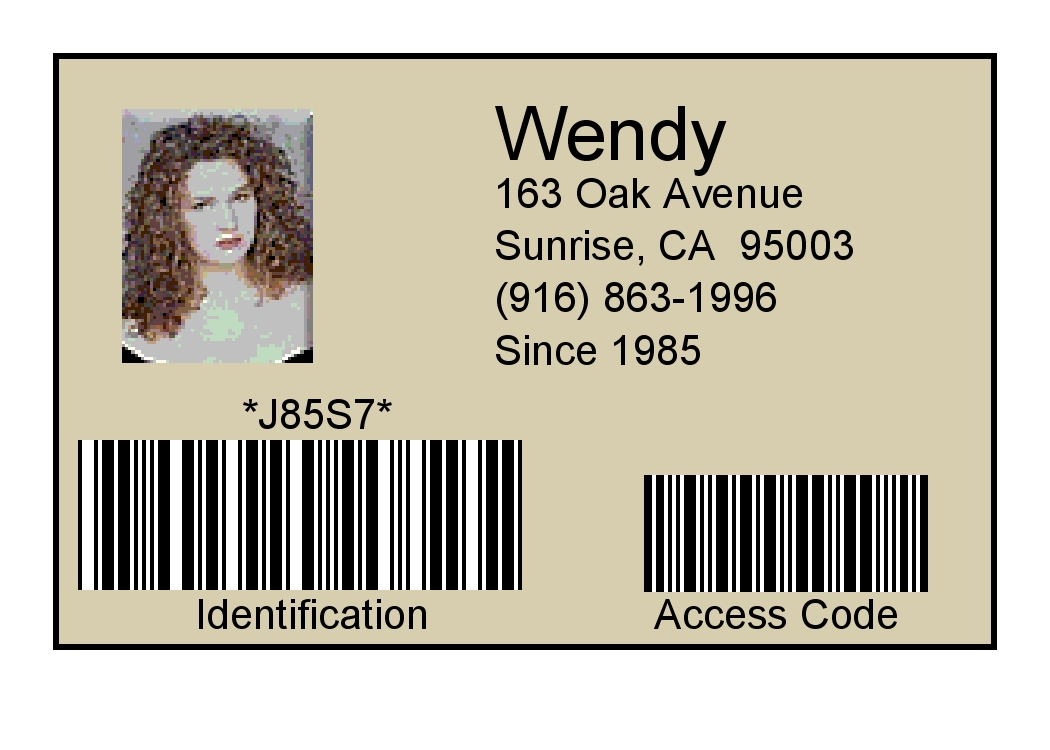
PEERNET Reports 3.0 Label Gallery

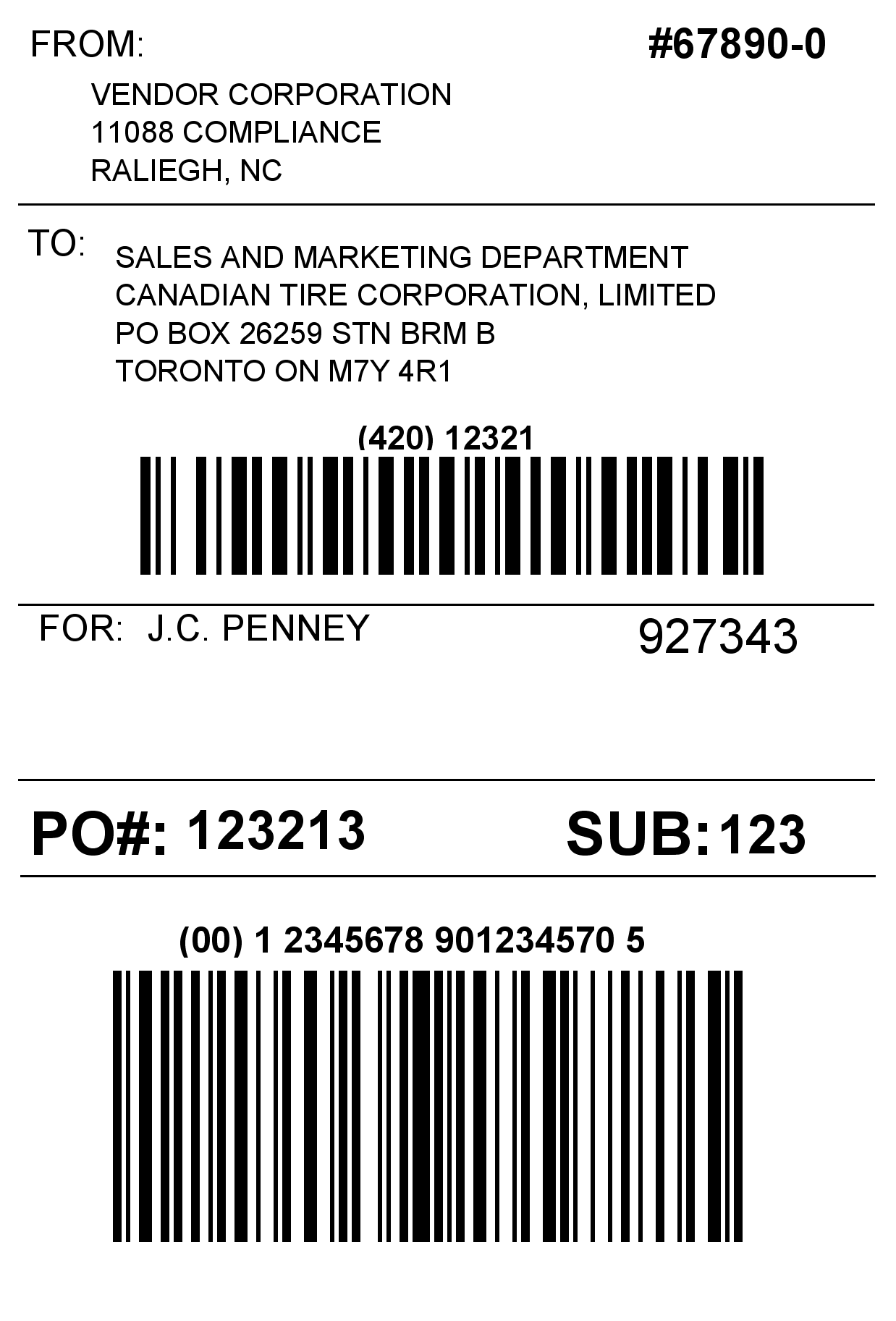
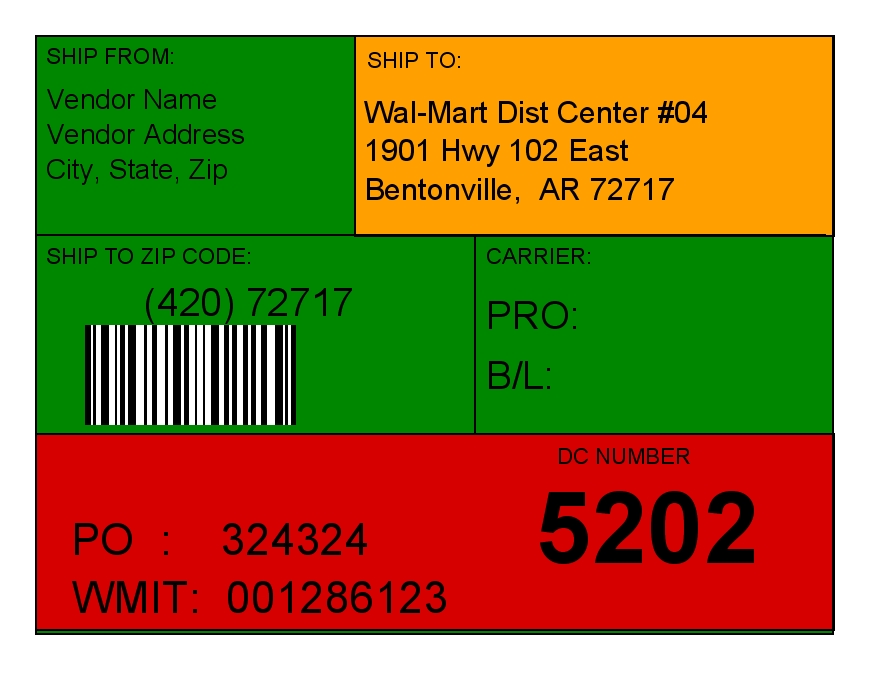
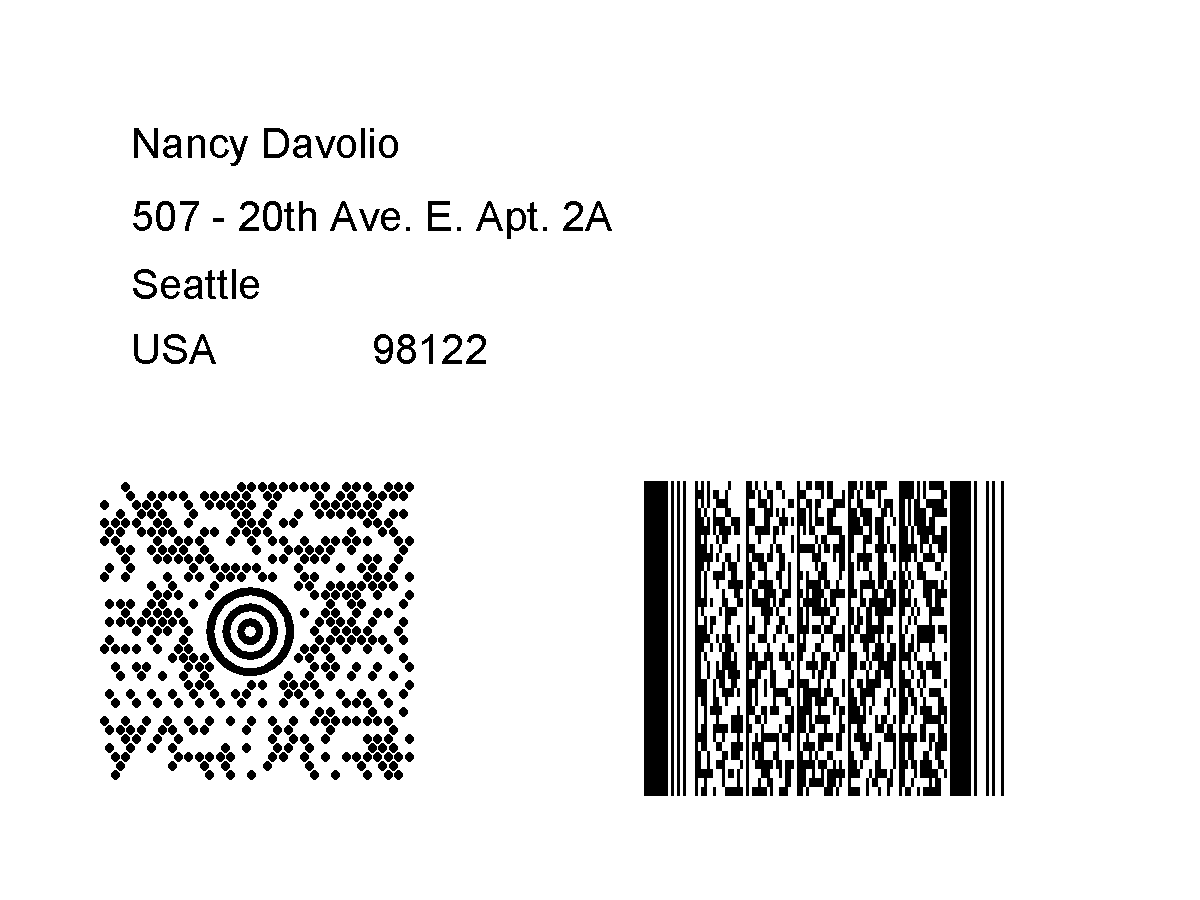
PEERNET Reports Release Notes
PEERNET Reports 3.0.109 – March 28, 2024
- Added support for .NET 7 or .NET 8 in addition to .NET Framework, to allow PEERNET Reports Embedded API to be used from .NET.
- Fixed issue where calling ProjectManager.Open using java.io.InputStream throws ‘java.lang.NullPointerException: Cannot invoke “java.io.File.getParentFile()” because the return value of “com.peernet.report.xml.PeernetXMLProject.getBaseFolder()” is null’.
PEERNET Reports 3.0.108 – March 14, 2024
- Added two new methods to com.peernet.embbeded.Engine class, Project openProject(java.io.InputStream in) and Project openProject(java.net.URL url, boolean cached).
- Added enhancement to picture component in a label or report to allow resource name to able to be used as the value or sample value for this component.
PEERNET Reports 3.0.107 – Febuary 27, 2024
- Fixed issue with PEERNET EPS Writer throwing null object exception when handling fonts.
PEERNET Reports 3.0.106 – January 19, 2024
- Updated demo J2EE container to tomcat 6.0.53.
PEERNET Reports 3.0.105 – April 11, 2022
- Fixed issue with Data Matrix barcode where data encoding goes into infinite loop on optimizing data compression.
- Updated PEERNET Reports Designer to use JRE 1.8.0_162 : new JDBC drivers being released which are depending on Java 1.8+ will now function with PEERNET Reports Designer.
PEERNET Reports 3.0.104 – July 7, 2021
- Updated digital signature for PEERNET Reports Applet to extend certificate through to 2024.
PEERNET Reports 3.0.104 – May 25, 2020
- Fixed issue with Zebra printer not allowing X-Dimension to be a min of 1. It was limiting to a min of 2..
PEERNET Reports 3.0.102
- Fixed issue with using sun jpeg encoder not available in OpenJDK.
PEERNET Reports 3.0.101
- Fixed issue with datamatrix on some data going into infinite loop trying to encode the information into the barcode.
PEERNET Reports 3.0.100 – May 17, 2018
- Fixed issue with Sato Thermal Printer where hyphen was not being printed correctly.
PEERNET Reports 3.0.099 – December 12, 2017
- Added support for Java 9.
PEERNET Reports 3.0.098 – February 27, 2017
- Fixed issue with error correction terms not calculated correctly for all Data Matrix symbols.
PEERNET Reports 3.0.097 – January 9, 2017
- Fixed issue in Report Applet where EP text was being interpreted as an end of page command and not a standard textbox item.
- Updated copyright to 2017.
PEERNET Reports 3.0.096 – October 7, 2016
- For Zerba barcode printering, now allow printer to compute Datamatrix symbol size for ECC200 symbol.
PEERNET Reports 3.0.095 – September 13, 2016
- Fixup glyph code to unicode precedence in PEERNET PDF Writer so hypens are emitted as hyphens and not unicode soft-hyphens.
PEERNET Reports 3.0.094 – July 5, 2016
- Added support for creating JAN barcodes with prefix 45.
- Fixed issue the DataMatrix barcode data encoder throwing an out of bounds expection on some input values.
PEERNET Reports 3.0.093 – February 11, 2016
- Added support for creating Datamatrix barcodes according to the GS1 specifcation.
- Added USEPRINTERRESOLUTION boolean parameter for the PeernetReportsApplet to revert behavour back to using 600 dpi for barcodes if necessary.
PEERNET Reports 3.0.092 – October 19, 2015
- Fixed issue with generated PDF having the wrong stream length for Type3 fonts.
PEERNET Reports 3.0.091 – November 4, 2014
- Fixed font issue in applet where barcodes where changing the size of the font.
- Add feature to support copies and collate in print dialog from Applet.
PEERNET Reports 3.0.090 – September 10, 2014
- Added two new schemes to RFID encoding to support Zebra Thermal Printers in order to allow hex and ascii writing of the RFID tag, both 64 and 32 bit.
PEERNET Reports 3.0.089 – August 19, 2014
- Added workaround for Linux platforms to reduce issue with poor performance of random access files.
PEERNET Reports 3.0.088 – August 1, 2014
- With introduction of Java 7, dynamic font loading no longer functioned do to change in Font loading APIs. Updated font loading to support the new APIs for Java 7 and 8.
PEERNET Reports 3.0.087 – July 14, 2014
- Added fix to default paper margin to minumum size when paper stock fails to match any of the printers supported paper sizes. Java was defaulting to 1″ margins.
PEERNET Reports 3.0.086 – June 23, 2014
- Added fix serial numbers reporting expired incorrectly, issue introduced in build 3.0.084 on June 10, 2014 when new Java API added.
- Added fix for SQL Type Conversion error caused by addition of support for new Java 1.6 SQL Types introduced in build 3.0.082 on April 23, 2014.
PEERNET Reports 3.0.085 – June 11, 2014
- Added support to report exceptions with line numbers for the Report/Label/Request attached code scripts instead of stacktrace that does not help locate where in the code the error occurred.
PEERNET Reports 3.0.084 – June 10, 2014
- Added support for new embedded engine API.
- Added support for embedding reporting engine into .NET application.
- Added samples to demonstrate embedding reporting engine into Java and .NET.
- Added jnpl. prefex support for PEERNET Report Designer webstart.
PEERNET Reports 3.0.083 – May 22, 2014
- Bug fix – fixup create new project xml file.
- Bug Fix – fix barcode encoding for datamatrix issue.
PEERNET Reports 3.0.082 – April 24, 2014
- 3.0.082 – Add 1.6 SQL Types, Updated SQL Driver entry, Added PEERNET XML DB Driver entry.
PEERNET Reports 3.0.081 – March 11, 2014
- Bug Fix – fixup bad page parsing in PEERNET Reports Applet.
- Bug Fix – Fix for thermal printing of 2D barcodes in PEERNET Reports Applet.
PEERNET Reports 3.0.080 – January 8, 2014
- Added support for QRCode barcodes.
- Added support for Aztec barcodes.
- Enhanced Reports Applet to render barcodes at resolution of target printer.
- Fixed issues with JRE 7 applet, web app security so no Reports Applet and PEERNET Reports Designer web app no function without any securty warnings.
The PEERNET team is always happy to help!
Give Us a Call
1-800-883-7980
Ask Us a Question
Complete our contact form
LATEST NEWS
 PNSrv11Lib to PNSrv12Lib: Migration Made EasyMarch 14, 2025 - 2:10 pm
- Migrating to Version 12: Compatibility Mode Quick Start GuideMarch 14, 2025 - 2:09 pm
- Well Logs: Stitch PDF Pages into a Continuous TIFF ImageMarch 14, 2025 - 2:08 pm
- Dynamic Stamp ContentNovember 4, 2024 - 4:47 pm


