Convert PUB to PDF with PDF Creator Plus
Converting PUB to PDF is a snap with this budget-friendly and intuitive PDF creation software that works with any Windows application that can print. With many built-in features, PDF Creator Plus is a complete solution for all your file conversion needs that can create Adobe PDF files and TIFF, JPEG, and other image formats.
PDF Creator Plus Feature Spotlight
- Easily combine multiple Publisher files into a single PDF.
- Drag and drop PDF files to quickly merge them with your Publisher files.
- Preserve the fonts and formatting of your Publisher file when converting to PDF.
- PDF files are generally smaller than the original Publisher file and are viewable almost everywhere without downloading special software.
- Converting Publisher to PDF allows for secure distribution via email or the Internet.
- More than just PDF, PDF Creator Plus can also create TIFF, JPEG, and BMP images.
How to Convert PUB to PDF
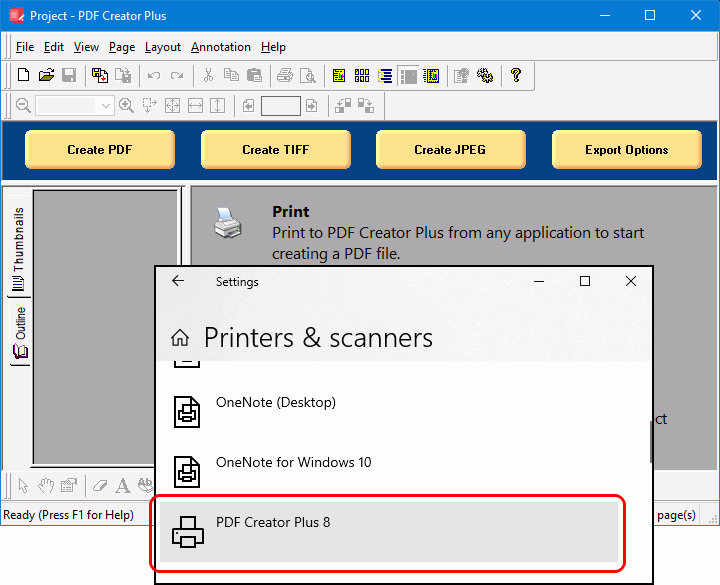
Download and install a free trial to try it out, or install and activate your purchased copy. The setup program will install the PDF Creator Plus app and PDF Creator Plus 8 virtual printer to your computer.
PDF Creator Plus can merge and convert PUB to PDF by printing Publisher files to the PDF Creator Plus 8 virtual printer instead of your regular printer.
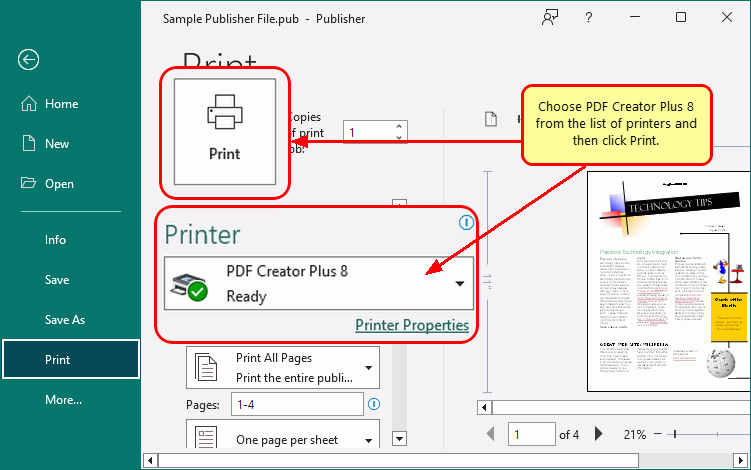
Open your PUB file in Microsoft Publisher and select File->Print from the application menu.
In the Print options screen, pick PDF Creator Plus 8 from the printer options and then proceed by clicking the Print button to convert PUB to PDF.
Working With PUB Pages in PDF Creator Plus
The PDF Creator Plus 8 printer sends the pages from your PUB file to the PDF Creator Plus app. In the app, you can add, move, rotate, or delete pages before creating your PDF file. Use the included tools to annotate the pages with text, shape, and images.
There are also annotations for adding headings and hyperlinks to your pages. Printed pages from Publisher do not keep any outline or hyperlink information.
See Creating An Outline/Bookmarks in PDF Creator to learn how to add outline information to your pages before creating your PDF.
For hyperlinks, see our article How do I add a hyperlink to a PDF Creator Plus project.
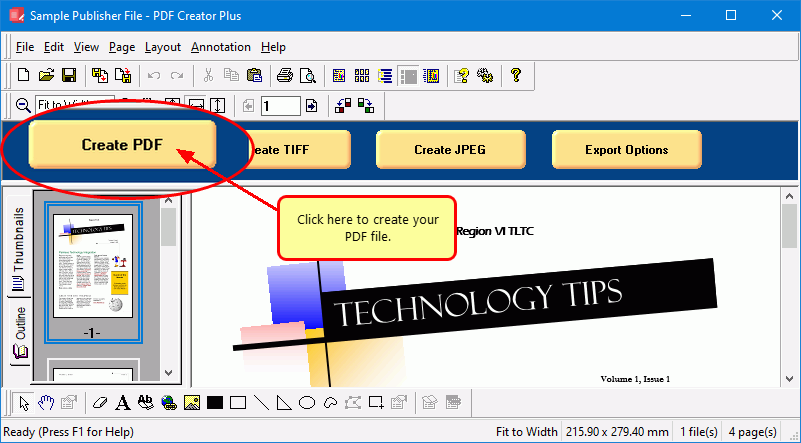
You now have two options: create your PDF by clicking the Create PDF button or add more pages by merging PDF files and printing additional documents from Publisher and other apps.
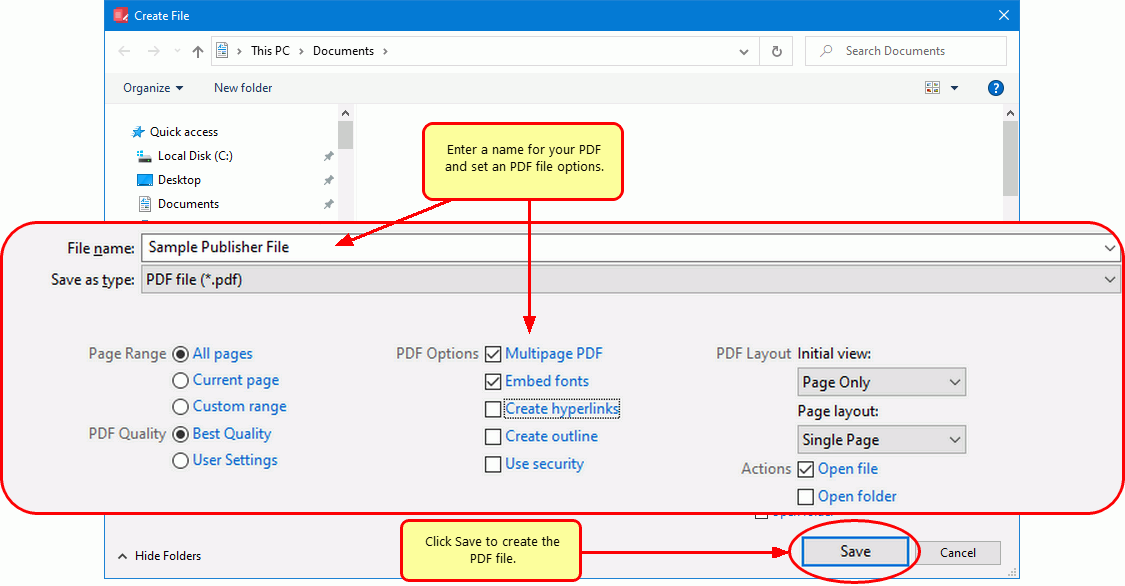
In the Create File dialog, edit the name for your new PDF file and choose where to save it. The next step is to choose options for your PDF file:
- Select PDF file (*.pdf) as the Save as type.
- Check the Multipaged PDF and Embed fonts options.
- If you added hyperlinks or outline information annotations by hand, check the options for Create hyperlinks, Create outlines, or both.
- Keep the Open file option enabled to open PDF automatically upon creation.
Click the Save button when you are ready to convert PUB to PDF.
Saving the PUB as PDF
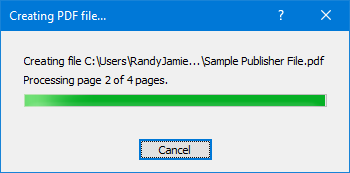
A progress dialog will appear as PDF Creator Plus creates your new PDF. If you need to change your PDF, use the Cancel button to stop the process. You can then make your changes and start again.