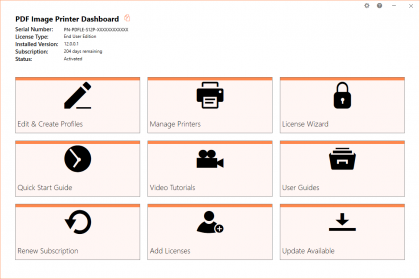
The PDF Image Printer 8.0 is the upgrade path for PDF Image Printer 7.0.
As a registered owner of an earlier version you can purchase the latest version at a discounted price. Please visit the following forum discussion for discount rates and complete steps on how to upgrade immediately online.
Final Update - February, 2008
The final update for PDF Image Printer 7.0015 can be downloaded from the link below.
http://www.peernet.com/download/retired/PNPDF7Setup.php
PDF Image Printer 7.0.015 - February, 2008
| Windows 7 | ![]() |
![]() |
![]() |
| Windows 2008 R2 | ![]() |
![]() |
![]() |
| Windows 2008 (up to SP2) | ![]() |
![]() |
![]() |
| Windows Vista (up to SP2) | ![]() |
![]() |
![]() |
| Windows Vista | ![]() |
![]() |
![]() |
| Windows 2003 (SP2) | ![]() |
![]() |
![]() |
| Windows 2003 (up to SP1) | ![]() |
![]() |
![]() |
| Windows XP (SP3) | ![]() |
![]() |
![]() |
| Windows XP (up to SP2) | ![]() |
![]() |
![]() |
| Windows 2000 (up to SP4)Rollup#1 | ![]() |
![]() |
![]() |
| Windows NT (up to SP6) | ![]() |
![]() |
![]() |
| Windows 95/98/ME | ![]() |
![]() |
![]() |
Update PDF Image Printer 7.0.015 - February, 2008
Resolved issue when Microsoft .NET 3.0 framework is installed on Windows XP and Windows 2000 operating systems prior to installing the PDF Image Printer. Installing the PDF Image Printer after .NET 3.0 framework caused XPS Printer to stop working.
Improved speed of installation.
Update PDF Image Printer 7.0.014 - November, 2007
Minor release to support faster computers.
Update PDF Image Printer 7.0.012 and 7.0.013 - September, 2007
Enhanced support when printing in monochrome to improve readablity of black and white documents.
The Remove filename extension option of the [Save] section is now being processed when used in script file to control printer.
Update PDF Image Printer 7.0.010 and 7.0.011 - August, 2007
Urgent fix to resolve "out of virtual memory" in spoolsv.exe which is observed when printing a large number of word documents in one session. Also some minor changes to the installer.
Update PDF Image Printer 7.0.008 - 7.0.009 - July, 2007
With this release, the PDF Image Printer 7.0 processing model is now identical to the PEERNET.DRV ePDF 6.0 printing model. The default installation is back to spool document and start printing immediately.
When the PDF Image Printer 7.0 was first released, the printing model was changed to do not journal in order to support 64-bit platforms. However, customers moving from PEERNET.DRV ePDF 6.0 encountered great difficulty in upgrading do to this change in the printing model. We hope this move back to the ePDF 6.0 printing model will allow you, our customer, to finally take advantage of everything the PDF Image Printer 7.0 has to offer.
Update PDF Image Printer 7.0.005 - 7.0.007 December, 2006
PDF Image Printer fully supports Windows Vista both 32-bit and 64-bit editions.
PDF Image Printer fully supports Windows Office 2007.
PDF Image Printer fully supports Internet Explorer 7 including the newprotected mode.
Update PDF Image Printer 7.0.004 - September, 2006
In order to support Windows x64 operating systems, the printing architect from ePDF 6.0 to PDF Image Printer 7.0 was changed. The impact of this is that the jobs process immediately as they are printed. The side effect of this was that when customer who already did automation for ePDF 6.0 or tried to automate conversion using the PDF Image Printer 7.0, found that their computer resource limits were being exhausted. In ePDF 6.0, jobs would be first queued to the print queue and then only one job at a time would execute. In PDF Image Printer 7.0, all printed jobs start executing immediately. In order, to control the number of jobs being converted at a time in PDF Image Printer 7.0, there is now a Set Max Jobs command. It sets a registry key value that controls the number of jobs that can be executed in parallel, there by preventing too many jobs from running at the same time.
This releases fixes the e-mail support. There was a bug in the 7.0.003 build preventing the e-mail modules from loading.
Released PDF Image Printer 7.0 - July, 2006
In this release, processing of printing and converting pages to PDF is controlled on the printer's properties Advanced tab. All print spooling options are supported.
- When you selected "Print directly to the printer",the conversion process is completely synchronous. So when you print, the printing and conversion process will not return until the job is completely finished. This mode makes it easier to automate the conversion process and to know when the PDF files have finished being created.
- When you select "Start printing when last page is spooled", the conversion process will not start until all pages have been spooled.
- When you select "Start printing immediately", the conversion process start immediately. This is the default.
Adds support for Windows XP Professional x64 Edition and Windows 2003 x64 Edition that supports both AMD64 and Intel Extended Memory 64 Technology (EM64T). This product does not support Itanium-based Systems (IA64).
Adds the following variables to provide information users entered on the Print Dialog in order to support conversion processes where this information is required:
$(Copies) - Number of copies
$(Collate) - 0 for FALSE, 1 for TRUE
$(Duplex) - 1 for Simple (Not Duplex), 2 for Vertical Duplex, 3 for Horizontal Duplex
All processing of strings and file names are now fully UNICODE compliant throughout the architecture. This resolves several issues on Chinese and Japanese Windows as well as other version of Windows using UNICODE languages.
The print process has been architected to support printing without the possibility of the print queue locking up or users blocking each other when printing at the same time from within a terminal server client session.
Added a Copy Printer program that supports creating copies of the PDF Image Printer 7.0 and makes it a breeze to create copies of the printer with different default settings.
A new name, PDF Image Printer was chosen to replace PEERNET.DRV ePDF in order to better reflect the main purpose of the application and to highlight the fact this driver does not support older versions of the Microsoft Windows operating systems. Owners of PEERNET.DRV ePDF can upgrade to the PDF Image Printer at a discount.
PDF Image Printer supports Windows 2000 and up. It does not support older Microsoft Windows versions such as NT 4.0, Windows 95, 98, 98 SE and ME.
The PDF Image Printer 8.0 is the upgrade path for PEERNET.DRV ePDF 6.0.
As a registered owner of an earlier version you can purchase the latest version at a discounted price. Please visit the following forum discussion for discount rates and complete steps on how to upgrade immediately online.
Final Update - July 2006
The final update for PEERNET.DRV ePDF 6.0.002 can be downloaded from the link below.
http://www.peernet.com/download/retired/PNEPDF6Setup.php
PDF Image Printer 6.0.002 - March 2006
| Windows 7 | ![]() |
![]() |
![]() |
| Windows 2008 R2 | ![]() |
![]() |
![]() |
| Windows 2008 (up to SP2) | ![]() |
![]() |
![]() |
| Windows Vista (up to SP2) | ![]() |
![]() |
![]() |
| Windows Vista | ![]() |
![]() |
![]() |
| Windows 2003 (SP2) | ![]() |
![]() |
![]() |
| Windows 2003 (up to SP1) | ![]() |
![]() |
![]() |
| Windows XP (SP3) | ![]() |
![]() |
![]() |
| Windows XP (up to SP2) | ![]() |
![]() |
![]() |
| Windows 2000 (up to SP4)Rollup#1 | ![]() |
![]() |
![]() |
| Windows NT (up to SP6) | ![]() |
![]() |
![]() |
| Windows 95/98/ME | ![]() |
![]() |
![]() |
Update PEERNET.DRV ePDF 6.0.002 - March, 2006
Corrected errors in the processing of control strings.
Minor bug fixes, no additional features added.
Update PEERNET.DRV ePDF 6.0 - July, 2005
New features include:
Added support for simultaneously printing from an NT service and a user account.
Installation now includes Simplified Chinese, Traditional Chinese, Russian, Dutch, Swedish, and Korean in addition to the already included English, French, German, Italian and Spanish to prevent user from needing their Windows CD.
Added new variables for extracting information about a print job at runtime.
Fixed issue that prevented different users from simultaneously accessing the printer through Terminal Service sessions.
Fixed issue that prevented creating filenames with a trailing dollar sign ($) .
Fixed several installation issues on Windows 9x.
Fixed text layout in dialogs on Foreign Language versions of Windows.
Enhanced file naming to allow file names to include the following additional variables:
Variable Name Description $(CustomFileName) Name of output file excluding output path. With quotes. $(CustomFileNameNoQuotes) Name of output file excluding output path. Not quoted. $(UserName) Name of logged in user. $(MachineName) Name of the computer. $(PrinterName) Name of the printer. $(IPAddress) IP address of the computer.
Updated for Windows 2003 SP1
Update PEERNET.DRV ePDF 6.0 - November, 2004
Improved processing speed by five seconds per print job.
Update PEERNET.DRV ePDF 6.0 - September, 2004
Added LZW compression option to OEM Edition as LZW is no longer under patent law.
Updated for Windows 2000 SP4 and Windows XP SP2.
Update PEERNET.DRV ePDF 6.0 - June, 2004
Merged the developer and end user edition into a single User Edition.
Updated for Windows 2000 SP1, SP2, SP3 and Windows XP SP1.
Released PEERNET.DRV ePDF 6.0 - April, 2003
|
|||||||
|
|||||||
|