PEERNET
PNSrv9 COM Interface

PEERNET PNSrv9 COM Interface was designed to make it easier for you, the developer, to integrate PEERNET's printers into your own applications or services.

The PNSrv9 COM Interface provides the ability to control and communicate with the associated printer during the printing and file creation process. It replaces and greatly enhances the older script file methodology used in the previous versions of the printer.

All of the printer's printing preferences can be controlled through the PNSrv9 COM Interface, as well as being able to:

  • easily wait until the file has been created to continue your workflow
  • use a pool of printers to increase processing capacity
  • attach to events to add custom processing at key points
  • track the files printed and the output files associated with each file
  • retrieve detailed information about the output files created
  • Thread-safe
  • well designed COM Object model

Our available samples are outlined on the tabs below, one for each sample. Select the desired tab to get detailed information about that sample.

Watch Folder

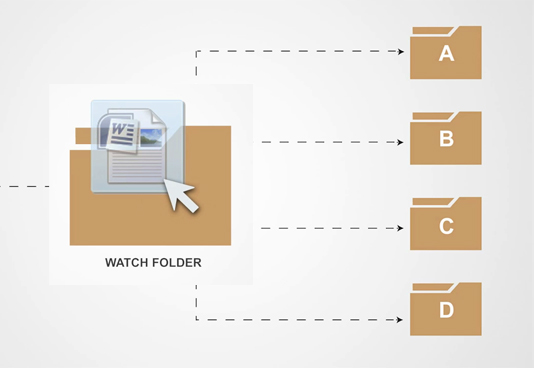
The Watch Folder sample desktop application monitors the specified folder and uses the PNSrv9 COM interface with the chosen PEERNET printer to convert any files dropped into this folder.

It demonstrates using the PNSrv9 COM Interface in a highly threaded environment. Two background threads are used: a watch thread to watch the folder for new files and a print thread to process the files. The print thread in turn manages a pool of up to ten threads, each of which can be processing a different file at the same time. Shared between the print thread's thread pool is a single instance of the PNSrv9 COM Interface and its pool of printers.

The sample also demonstrates using the PNSrv9 COM events to control how the output files are named and to display on-screen progress information to the user.

Both on-line and PDF documentation, as well as sample code are available from the menu to the left.

The sample program is a C#.NET application developed in Visual Studio 2008. You will need the following:

  • Microsoft .NET Framework 2.0 or higher must be installed as the sample application targets .NET 2.0.
  • One or more of the following PEERNET printers must be installed. The printer can be in trial mode. The printer used will determine the type of output file created and can be chosen dynamically when the sample is run.
    • Raster Image Printer 9.0.001 or later, available here.
    • TIFF Image Printer 9.0.001 or later, available here.
    • PDF Image Printer 9.0.001 or later, available here.
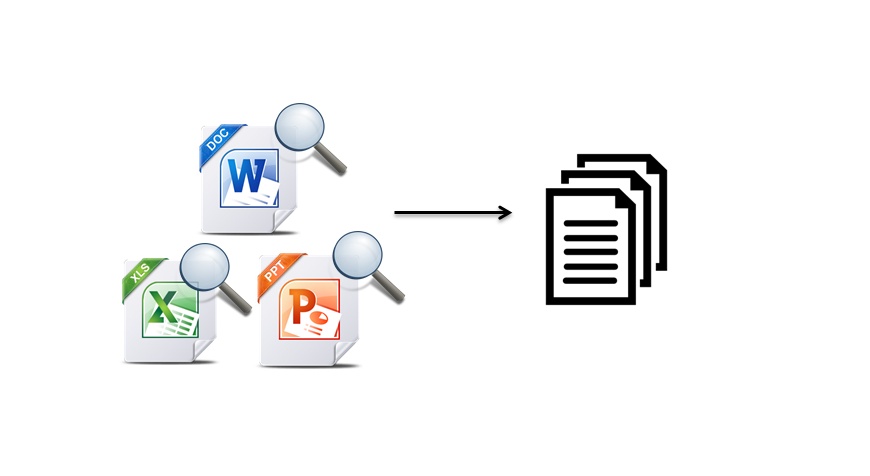
  • This sample also includes a custom namespace, PEERNET.Tools.OfficeConversion that demonstrates using C# reflection and late-binding to automate printing with Microsoft Word, Excel, PowerPoint and Publisher.

A zip file containing the sample can be downloaded here. The download contains a setup program to install the application. You do not need Visual Studio 2008 to run the sample but it is required if you want to compile and edit the sample.

ASP.NET and Microsoft Internet Information Services

This C# ASP.NET web application sample demonstrates how to use the PNSrv9 COM interface with the chosen PEERNET printer with Microsoft Internet Information Services (IIS) on the following platforms:

  • Windows XP (IIS 5.1)
  • Windows Server 2003 (IIS 6.0)
  • Windows Vista (IIS 7.0)
  • Windows 7 (IIS 7.5)
  • Windows Server 2008 (IIS 7.0)
  • Windows Server 2008 R2 (IIS 7.5)

To work within the security model of IIS, some additional privileges and permission need to be added to the PNSrv9 COM objects. The documentation for this sample contains instructions on how to configure the required PNSrv9 COM objects for IIS.

Both on-line and PDF documentation, as well as sample code are available from the menu to the left.

The following applications and services must be installed:

  • Microsoft Internet Information Services; see the section Installing IIS in the on-line documentation for more information regarding how to install IIS for your operating system.
  • One or more of the following PEERNET printers must be installed. The printer can be in trial mode. The printer used will determine the type of output file created and can be chosen dynamically when the sample is run.
    • Raster Image Printer 9.0.001 or later, available here.
    • TIFF Image Printer 9.0.001 or later, available here.
    • PDF Image Printer 9.0.001 or later, available here.
  • Microsoft .NET 2.0 or higher must be installed as the sample targets .NET 2.0.
  • Either Notepad or WordPad must be set as the default application for opening text (*.txt) files.

A zip file containing the sample can be downloaded here. The download contains a setup program to install the application. You do not need Visual Studio 2008 to run the sample but it is required if you want to compile and edit the sample.

Microsoft Windows Service

This C# Windows Service sample creates and monitors an input folder for text files (*.txt). A timer is used to poll the input folder every 15 seconds and use the COM Interface with the chosen PEERNET printer to convert any files dropped into the folder. When the output files are created, the source files are moved from the input folder to a processed folder. A custom event log named PNSrv9Log is also added to the Windows Event Viewer and used to log messages from the service.

The sample Windows Service demonstrates how to customize the output filename on a per-file basis and how the PNSrv9 COM event OnEndJob can be used to track the list of files created.

A simple Windows forms application, PNSrv9 Sample Service Control Panel, is also included with the sample service. This forms application controls the service start-up parameters through a graphical user interface. This allows the service to be used with any of the PEERNET printers and to customize the type of file each printer creates.

Both on-line and PDF documentation, as well as sample code are available from the menu to the left.

The following applications and services must be installed:

  • One or more of the following PEERNET printers must be installed. The printer can be in trial mode. The printer used will determine the type of output file created and can be chosen dynamically when the sample is run.
    • Raster Image Printer 9.0.001 or later, available here.
    • TIFF Image Printer 9.0.001 or later, available here.
    • PDF Image Printer 9.0.001 or later, available here.
  • Microsoft .NET Framework 2.0 or higher must be installed as the sample application targets .NET 2.0.
  • Administrative privileges are required to install and remove services.
  • Either Notepad or WordPad must be set as the default application for opening text (*.txt) files.

A zip file containing the sample can be downloaded here. The download contains a setup program to install the application. You do not need Visual Studio 2008 to run the sample but it is required if you want to compile and edit the sample.

Split TIFF using Microsoft Visual Basic

This VB.NET sample converts a folder of Microsoft Word documents into a series of multipaged TIFF images, each with a preset number of pages. The sample demonstrates the following:

  • how the PNSrv9 COM events can be used to track information
  • how to use the PNSrv9 COM OnGetNextFileName event to customize the naming of the output TIFF images
  • how to use the PNSrv9 COM OnStartJob event and the IPNJob object's SetVariableByKeyword method to control when to start the creation of a new file; in this case after a preset number of pages
  • how to use the Visual Basic's SyncLock statement in the event handlers to protect the global data variables from simultaneous access, making the process multi-thread safe

Both on-line and PDF documentation, as well as sample code are available from the menu to the left.

The following applications and services must be installed:

  • One or more of the following PEERNET printers must be installed. The printer can be in trial mode. The printer used can be chosen dynamically when the sample is run.
    • Raster Image Printer 9.0.001 or later, available here.
    • TIFF Image Printer 9.0.001 or later, available here.
  • Microsoft .NET Framework 2.0 or higher must be installed as the sample application targets .NET 2.0.
  • A version of Microsoft Word must also be installed.

A zip file containing the sample can be downloaded here. The download contains a setup program to install the application. You do not need Visual Studio 2008 to run the sample but it is required if you want to compile and edit the sample.


Copyright © 1997-2010. All rights reserved. Legal notice.
PEERNET® is a registered trademark of PEERNET Inc.

Saturday, February 04, 2012